Download
2 filesTwo files. You need both — the bar type is compiled against the shared base library, and every MDT bar type reuses that same library.
Take both from this page even if you already have MdtBarsCommon from another MDT bar type. They are built and tested as a matched pair.
Install
3 steps- In NinjaTrader: Tools → Import → NinjaScript Add-On, and select
MdtBarsCommon. - Import
MdtCascadeRenkothe same way. - Restart NinjaTrader.
Restart once, after both imports. The order you import them in doesn't matter, but both need to be in place before the restart. Import one, restart, and the bar type won't appear — which looks like a failed install.
What it does
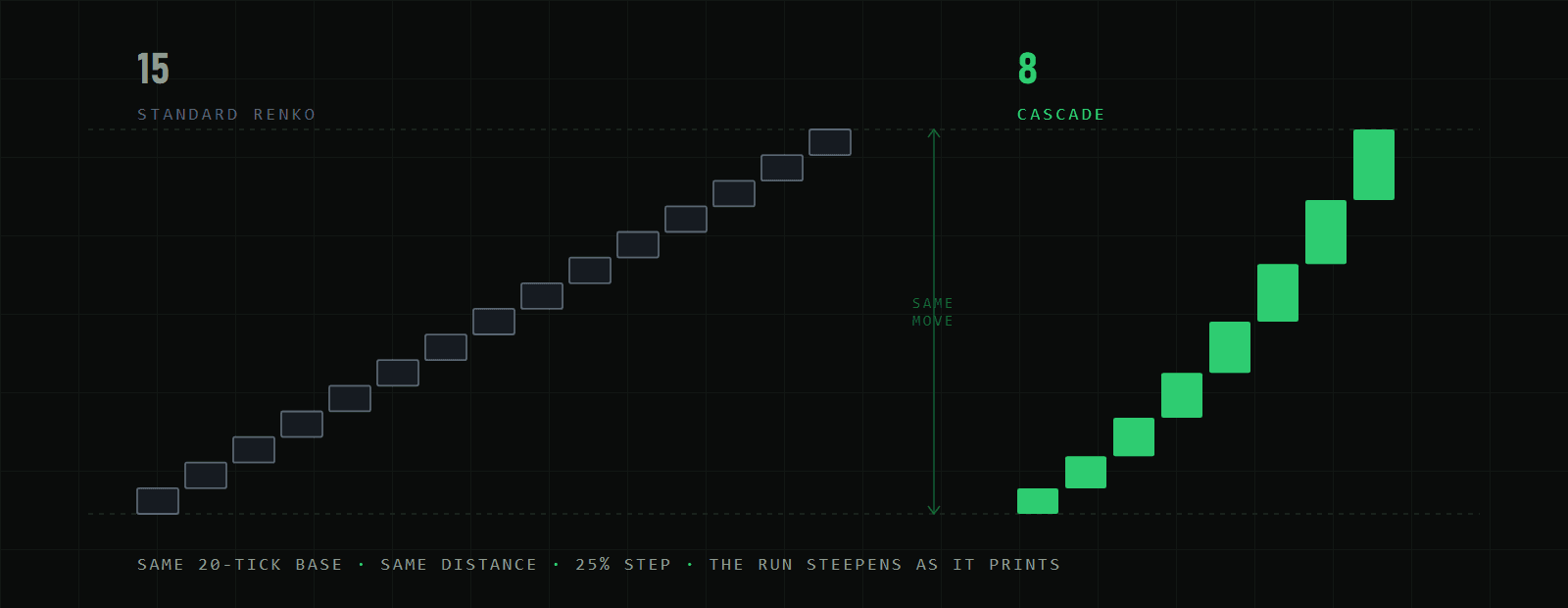
The first brick in a run is the full base width. Every brick after it in the same direction is a little wider, so a trend has to work progressively harder to print anything — the run stretches across the chart rather than flooding it. A reversal resets the count to the base width.
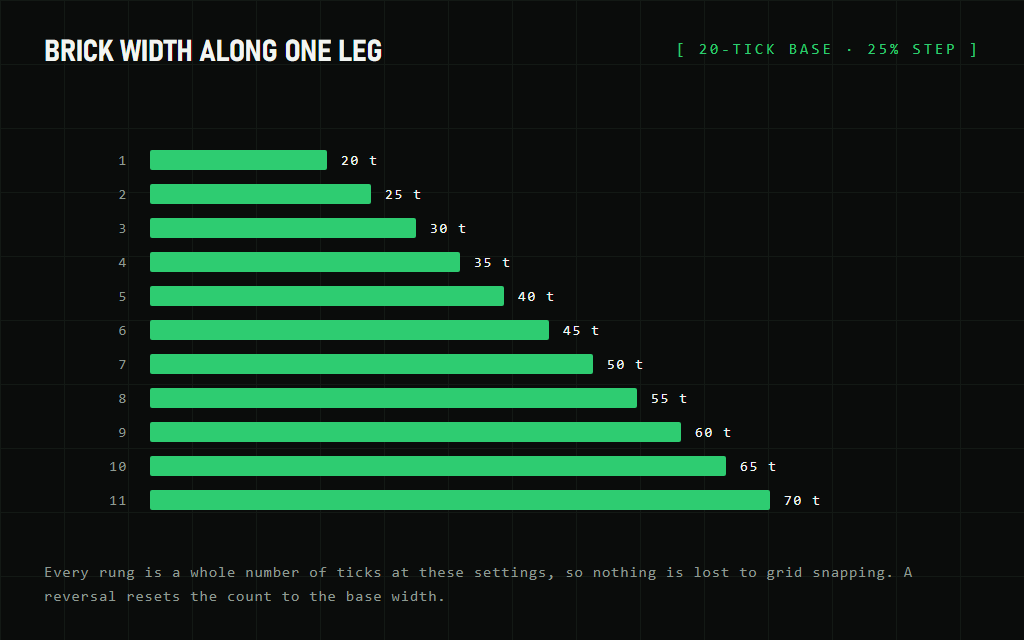
Brick width · 20-tick base · 25% step
Settings
2Two settings, both on the data series dialog where you pick the bar type. The base is the only one you need to size to your instrument.
| Setting | What it does |
|---|---|
| Base brick (ticks) | Width of the first brick in a run. Everything scales from this. Size it to the instrument — 20 ticks suits NQ; a slower market wants more. |
| Cascade step % | How much wider each successive brick gets. Clamped to 0–200. Set it to 0 and you get a canonical Renko back, which is a useful way to see exactly what the feature is doing. |
Releases
1Requires NinjaTrader 8. Distributed as a compiled add-on — no licence key and no activation.
Built and tested against current NinjaTrader 8. It is not guaranteed to work on every NinjaTrader 8 build, and a NinjaTrader update can change behaviour that a compiled add-on depends on.
