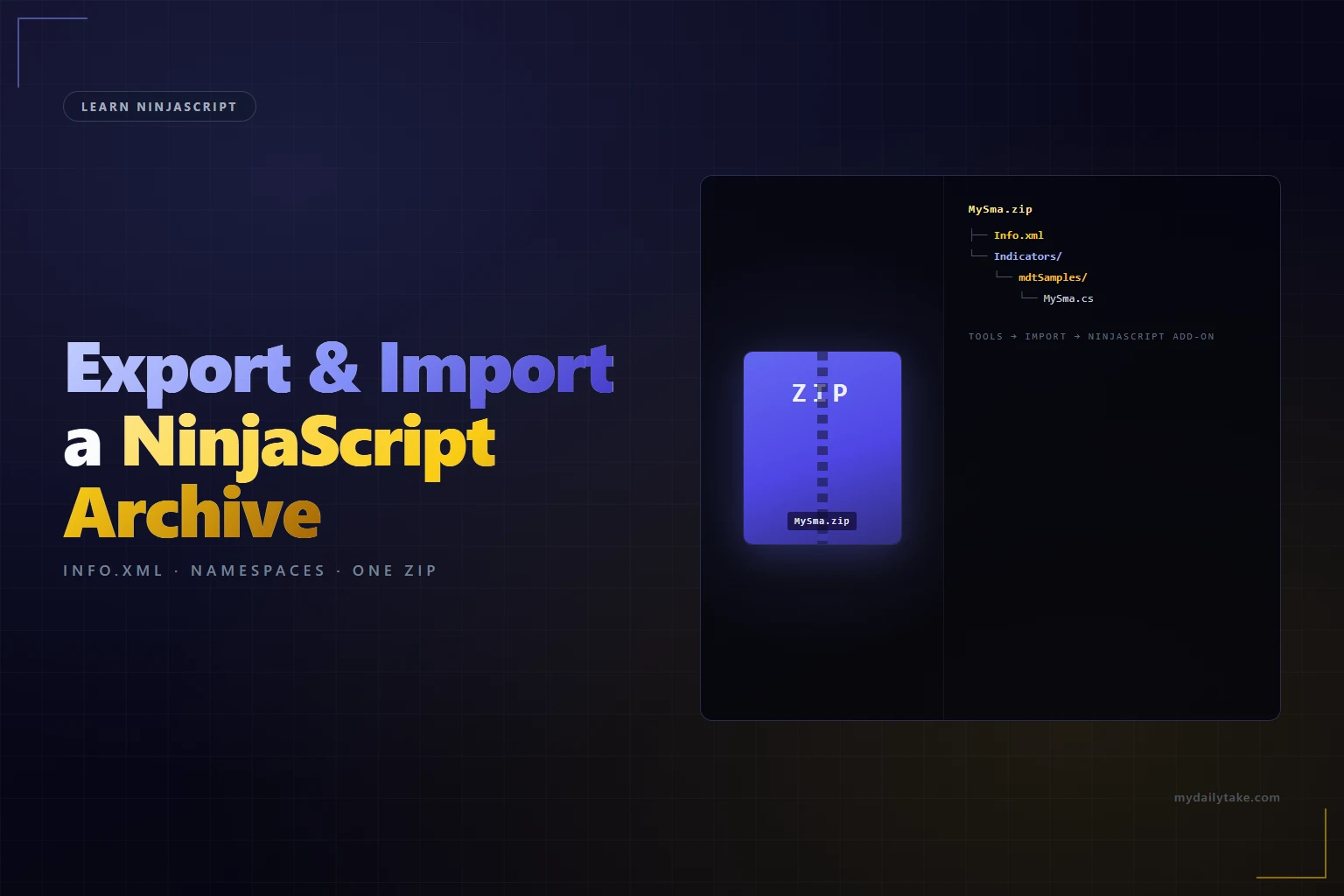
Learn NinjaScript: Exporting and Importing Custom Indicators
Sharing an indicator means giving someone a single file they can double-click and have the indicator appear on their chart. NinjaTrader does this via its NinjaScript Archive — a zip with a specific layout. Once you know the format, you can also build archives without NT’s export dialog, which is what you want for automated release workflows, CI pipelines, or anything that generates a download after a successful build.
This post covers the archive format, NT’s built-in export flow, building archives by hand with nothing but a zip tool, the pre-release cleanup that should happen before anything leaves your machine, and the anchor — packaging MySma into a clean installable zip.
⚙️ The NinjaScript Archive Format
A NinjaScript Archive is a zip file with exactly two requirements: an Info.xml at the zip root, and source files under folder paths that mirror their namespaces. Everything else — what categories are included, how many files, whether there are AddOns bundled alongside — is optional.
Full structure reference:
NinjaScript Archive Structure
| File / Path | Location in zip | Purpose |
|---|---|---|
| Info.xml | zip root (required). | Manifest with the NT build version the archive was made against. Without it, NT refuses the import. |
|
Indicators/ | Under Indicators/ matching the namespace sub-folder. | Indicator source. Path in zip must match the class's namespace tail. |
|
Strategies/ | Under Strategies/ matching the namespace sub-folder. | Strategy source files, organized the same way as indicators. |
|
AddOns/ | Under AddOns/ matching the namespace sub-folder. | Shared helper classes (Week 25). Included here if consumers need them to compile. |
|
DrawingTools/ | Top level inside DrawingTools/. | Custom drawing tool classes (Week 24). |
| Templates/, Workspaces/ | Optional, at zip root alongside source folders. | Rarely needed for indicator-only archives. Used by add-ons that bundle a workspace or chart template. |
Path separators in the zip’s table of contents can be forward slashes or backslashes — NT’s own export uses backslashes, but PowerShell’s Compress-Archive and Linux zip both produce valid archives. Case does matter on folder names: a sub-folder named indTradingView in the zip must match the namespace fragment exactly.
📦 NT’s Export Dialog
The path of least resistance: Tools → Export → NinjaScript Add-On. You pick files, pick a destination, hit export, and NT produces a valid archive. It handles dependencies reasonably well — if the indicator references code in an AddOn you authored, selecting “Export All Dependencies” usually includes them.
Two things to verify after an export: the zip opens cleanly and contains an Info.xml at root, and the files inside sit under the expected sub-folders. If anything’s misplaced, re-export — don’t edit the zip by hand, because the manifest may reference file paths that won’t match.
🏗️ Building Archives Without NT
For automated workflows — release pipelines, scripted deploys, anything that produces a downloadable indicator as part of a build — skip NT’s export entirely. The archive format is simple enough to generate from a shell script or CI step.
First, the Info.xml. Minimum viable content for a single-indicator archive:
<?xml version="1.0" encoding="utf-8"?>
<NinjaTrader>
  <Export>
    <Version>8.0.28.0</Version>
  </Export>
</NinjaTrader>
The Version tag tracks the NT build the archive targets. Use whatever build number your NT install reports — Help → About. NT is permissive on version mismatches at import time; the field is a hint, not a hard check.
NT does not require the zip to list specific files in its manifest — it just recurses the directory structure and compiles anything it finds. That’s why the format is buildable by hand: create the folder tree, drop the .cs files under it, write the Info.xml, zip it up.
🧹 Pre-Release Cleanup
- Strip dev-only comments. “TODO: fix me before shipping”, “DEBUG: remove before release”, paths pointing to your file system — all should come out before export.
- Clean NT-generated artifacts. Don’t include
obj/orbin/directories — they aren’t part of the source and NT will ignore them, but they bloat the download and leak your machine’s paths. - Verify dependencies. If the indicator references an AddOn you authored, that AddOn’s
.csmust be included in the zip too. An indicator referencing missing code fails at import time with a compile error. - Test import on a clean machine. At minimum, spin up a separate Windows user or a fresh NT install and import the archive there. Bugs that only surface on a machine without your cached assemblies are the embarrassing kind.
🛠️ The Anchor Example — Building MySma by Hand
Packaging MySma into a proper NinjaScript Archive without opening NT. The layout lives in a staging directory, then gets compressed into a zip:
# Staging layout on disk
mkdir -p stage/Indicators/mdtSamples
cp ~/Documents/NinjaTrader\ 8/bin/Custom/Indicators/mdtSamples/MySma.cs \
stage/Indicators/mdtSamples/
cat > stage/Info.xml <<'EOF'
<?xml version="1.0" encoding="utf-8"?>
<NinjaTrader>
  <Export>
    <Version>8.0.28.0</Version>
  </Export>
</NinjaTrader>
EOF
# PowerShell's Compress-Archive produces a valid NT-readable zip
cd stage
powershell -NoProfile -Command \
"Compress-Archive -Path 'Info.xml','Indicators' \
-DestinationPath '../MySma.zip' -Force"
# Verify the contents
unzip -l ../MySma.zip
# Expected:
# Info.xml
# Indicators/mdtSamples/MySma.cs
Import: Tools → Import → NinjaScript Add-On, select MySma.zip. NT compiles anything it finds under the source folders and adds the indicator to the chart menu at Indicators → mdtSamples → MySma. If you’re distributing this as a post download, the install instructions drop to a single step for the reader.
📝 Pitfalls Checklist
- Missing or malformed
Info.xml. NoInfo.xmlat root and NT rejects the zip with “invalid archive.” A malformed one — unclosed tag, wrong XML declaration — same rejection. Write it once, keep it in a template. - Sub-folder path ≠ namespace. File at
Indicators/mdtUtils/TimeUtil.cswithnamespace NinjaTrader.NinjaScript.Indicators.indTradingView. Imports, compiles, but the class ends up in the wrong namespace and nothing can reference it by the path users expected. - Including
obj/orbin/. NT’s own build output from your machine. Doesn’t break imports but bloats the download and includes paths from your file system. Exclude them. - Missing AddOn dependencies. Indicator references
RiskUtils.PositionSize, AddOn file not included. Import compiles every.csin the zip; if the dependency isn’t there, compile fails at import. Include the AddOn source alongside the indicator. - Non-zip compressors.
.7z,.rar,.tar.gz— NT only reads zip. If your CI pipeline produces something else, convert to zip as the final step. - Backslash-only paths on non-Windows zip tools. Some tools (older cygwin builds) write Windows paths with forward slashes; NT reads them fine, but if the zip happens to contain a mixed layout where the same logical folder has both slash styles, NT sometimes treats them as separate folders and only finds half the files. Stick to one style per archive.