Learn NinjaScript: Historical vs Real-Time (State.Historical, IsFirstTickOfBar)
At the end of Calculate Modes, we looked at an arrow-on-condition indicator that behaved differently depending on whether it was running on historical bars or live ticks. The fix in that post was a draw-cleanup pattern — remove the arrow before each OnBarUpdate pass and let the live condition repaint it. Good enough if you want the flicker.
But sometimes you want stricter behavior. An alert that only fires on live signals, not every time a trader loads the chart and NinjaTrader replays three months of history. A signal that commits once per bar even while running OnPriceChange. Heavy computation that runs on live ticks but stays out of the way during initial chart load.
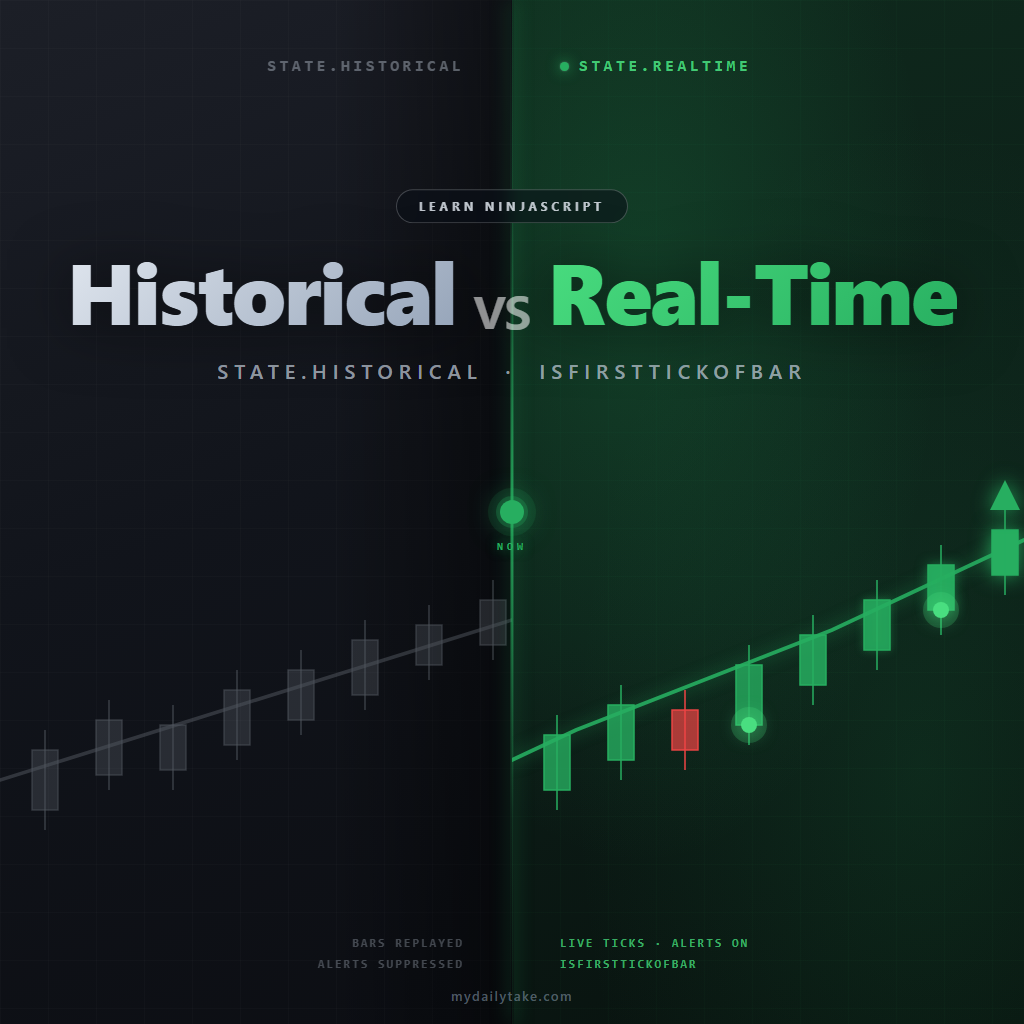
That’s what State.Historical and IsFirstTickOfBar are for. They let a single indicator file behave differently depending on when the code is running — without changing the Calculate mode you picked for the rest of the logic.
⚙️ What These Tools Control
Calculate controls cadence — how often OnBarUpdate fires. State.Historical and IsFirstTickOfBar control selectivity — which of those fires you actually act on. You can use both at once: a single indicator can run on OnPriceChange, fire an alert only during live trading, and commit its signal exactly once per bar. Mode choice sets the rhythm, these two tools pick the beat.
🕒 The Two Processing Phases Every Indicator Goes Through
When your indicator loads, NinjaTrader runs it through a lifecycle defined by the State property. Two of those states matter for day-to-day indicator logic:
Indicator Processing Phases
| State | When It Is Active | Typical Use |
|---|---|---|
| State.Historical | During chart load, as NinjaTrader replays existing bars in sequence. | Skip alerts, sounds, and external notifications. Optionally skip expensive work. |
| State.Transition | Briefly, as NT switches from historical replay to live ticks. | Rarely checked in indicators. Initialize live-only state here if needed. |
| State.Realtime | After historical replay completes, while live ticks are arriving. | Enable alerts, sounds, Discord/webhook notifications, trade actions. |
Inside OnBarUpdate, you can read State directly — no extra lookup needed. A check like if (State == State.Historical) return; skips the current call if you’re still in the replay phase.
But scattering those checks throughout OnBarUpdate gets messy fast, and it misses an edge case: between Historical and Realtime, NinjaTrader briefly passes through State.Transition. A check for != Historical lets transition logic through; a check for == Realtime doesn’t. The cleaner pattern — shown below — is to set a single isRealtime flag in OnStateChange and read it wherever you need to gate logic.
🧠 IsFirstTickOfBar — Run Something Exactly Once Per Bar
IsFirstTickOfBar is a built-in boolean that’s true on the first OnBarUpdate call for a new bar and false for every subsequent call within that same bar. How it behaves depends on your Calculate mode:
- On
OnBarClose, every call is the first (and only) tick of a closed bar, soIsFirstTickOfBaris alwaystrue. Checking it is redundant on this mode but not harmful. - On
OnPriceChange, it’strueon the first price change of each new bar andfalseon every subsequent change within that bar. - On
OnEachTick, it’strueon the first tick of each new bar andfalseon every subsequent tick.
The useful pattern isn’t “skip everything after the first tick” — it’s “reset some per-bar state at the start of every new bar, then let the rest of the logic run freely.” You’ll see both halves of that pattern in the code below.
🛠️ Pattern 1 — The isRealtime Flag
Start with the arrow-on-condition indicator from the previous post, and add an alert when a cross fires. Here’s what you don’t want to ship:
protected override void OnStateChange()
{
    if (State == State.SetDefaults)
    {
        Name        = "Cross Above SMA";
        Calculate   = Calculate.OnBarClose;
        IsOverlay   = true;
        Period      = 20;
    }
}

protected override void OnBarUpdate()
{
    if (CurrentBar < Period) return;

    bool crossedAbove = Close[0] > SMA(Period)[0]
                     && Close[1] <= SMA(Period)[1];

    if (crossedAbove)
    {
        Draw.ArrowUp(this, "cross_" + CurrentBar, false, 0,
                     Low[0] - TickSize * 2, Brushes.LimeGreen);

        Alert("cross", Priority.Medium, "Cross above SMA", null, 0,
              Brushes.Transparent, Brushes.LimeGreen);
    }
}
Load that on a chart and NinjaTrader will happily replay the last few hundred bars and fire the alert on every qualifying historical cross. The trader gets a noisy Alert window full of events that already happened. Not useful.
The fix: set a flag in OnStateChange when we enter the realtime phase, then gate the alert on that flag inside OnBarUpdate:
private bool isRealtime;

protected override void OnStateChange()
{
    if (State == State.SetDefaults)
    {
        Name        = "Cross Above SMA";
        Calculate   = Calculate.OnBarClose;
        IsOverlay   = true;
        Period      = 20;
    }
    else if (State == State.Realtime)
    {
        isRealtime = true;
    }
}

protected override void OnBarUpdate()
{
    if (CurrentBar < Period) return;

    bool crossedAbove = Close[0] > SMA(Period)[0]
                     && Close[1] <= SMA(Period)[1];

    if (crossedAbove)
    {
        Draw.ArrowUp(this, "cross_" + CurrentBar, false, 0,
                     Low[0] - TickSize * 2, Brushes.LimeGreen);

        if (isRealtime)
            Alert("cross", Priority.Medium, "Cross above SMA", null, 0,
                  Brushes.Transparent, Brushes.LimeGreen);
    }
}
A few things worth calling out about this pattern:
- One source of truth. The flag is set in exactly one place.
OnBarUpdatereads a boolean — noStatecomparisons scattered around. - Unambiguous semantics.
isRealtimeis eithertrueorfalse. There’s no “what about Transition” question to worry about. - Easy to extend. If you later want to suppress alerts for the first few seconds after realtime starts, you can grab a timestamp next to
isRealtime = true;and gate further. You’d be stuck if you were still relying on scatteredStatechecks.
🛠️ Pattern 2 — Commit a Signal Once Per Bar
In the Calculate Modes post we saw what happens when you switch this indicator to OnPriceChange: the arrow flickers on and off as price oscillates around the SMA mid-bar, and the draw-cleanup pattern was one fix. Here’s an alternative that’s often closer to what a trader actually wants — commit the first signal in a bar and then stop re-evaluating until the next bar opens.
We use IsFirstTickOfBar to reset a per-bar flag, and the flag to prevent duplicate draws within the same bar:
private bool isRealtime;
private bool signalFiredThisBar;

protected override void OnStateChange()
{
    if (State == State.SetDefaults)
    {
        Name        = "Cross Above SMA";
        Calculate   = Calculate.OnPriceChange;
        IsOverlay   = true;
        Period      = 20;
    }
    else if (State == State.Realtime)
    {
        isRealtime = true;
    }
}

protected override void OnBarUpdate()
{
    if (IsFirstTickOfBar)
        signalFiredThisBar = false;

    if (CurrentBar < Period) return;

    bool crossedAbove = Close[0] > SMA(Period)[0]
                     && Close[1] <= SMA(Period)[1];

    if (crossedAbove && !signalFiredThisBar)
    {
        Draw.ArrowUp(this, "cross_" + CurrentBar, false, 0,
                     Low[0] - TickSize * 2, Brushes.LimeGreen);

        if (isRealtime)
            Alert("cross", Priority.Medium, "Cross above SMA", null, 0,
                  Brushes.Transparent, Brushes.LimeGreen);

        signalFiredThisBar = true;
    }
}
The result: the indicator runs mid-bar so any other live-reactive logic stays responsive, but the arrow and alert fire only on the first qualifying cross of each bar and never duplicate. No cleanup pass needed, no flicker.
The same shape works for any “once per bar” tracking: intra-bar extremes you want to seed from the bar’s own open, a tick counter that resets at the open, a state variable that needs to start fresh each bar. IsFirstTickOfBar is the “bar just opened” hook — put reset logic there.
🛠️ Pattern 3 — Skip Expensive Work During Historical Load
If your indicator does something heavy — a custom OnRender with a lot of SharpDX geometry, a big lookback loop, a file write per bar — you rarely need that work to run for every bar during the initial chart load. Traders care about the last few hundred bars and what’s happening right now. Everything older is historical context.
Gate the expensive path on isRealtime. Chart load stays fast because the heavy work is skipped; the logic kicks in the moment live ticks start. The cheap stuff — plot assignments, signal detection — can keep running through historical since that’s what builds the plot line a trader sees when they load the chart.
This pattern pairs well with the signalFiredThisBar flag above. Commit the signal on every bar regardless of state, but defer the heavy visual work to realtime — traders see the signal arrows on historical bars with zero rendering cost.
🆚 Which Check for Which Job
Which Check for Which Job
| What I want | Which tool | Notes |
|---|---|---|
| Fire alerts only during live ticks, not on chart load | isRealtime flag, set in State.Realtime | Single source of truth. Reads as a simple boolean inside OnBarUpdate. |
| Commit a signal once per bar (draw and alert once) | IsFirstTickOfBar plus a fired-this-bar flag | Works on any Calculate mode. Prevents duplicate arrows mid-bar on OnPriceChange and OnEachTick. |
| Reset intra-bar trackers when a new bar opens | IsFirstTickOfBar | Reset on the first tick of the bar, update on subsequent ticks. |
| Skip heavy loops or OnRender work during historical load | isRealtime flag (guard the heavy path) | Fast chart load; the heavy logic kicks in once realtime starts. |
📝 The “Historical” Gotcha
State.Historical means during chart load and replay, not on completed bars forever. Once live ticks start, every bar on the chart is processed under State.Realtime — including bars that close seconds later and become part of “history” visually. State doesn’t flip back.
This trips people up when they try to use State.Historical as a proxy for “this bar is now closed.” It isn’t. A bar being closed is a separate idea, handled by Calculate mode choice and IsFirstTickOfBar. The State you’re looking at only tells you about the current processing phase, not about any individual bar.
Also don’t confuse IsFirstTickOfBar with Bars.IsFirstBarOfSession — one is “bar just opened” (every new bar), the other is “first bar of the trading session” (once per day). Different checks, different use cases.
📝 Pitfalls Checklist
- Always gate alerts, sound notifications, and external integrations (Discord, webhooks, trade submissions) on
isRealtime. Never let them fire during historical replay unless the user explicitly opted in. - Use an
isRealtimeflag set inOnStateChangerather than scatteringState == State.Historicalchecks throughOnBarUpdate. Cleaner, more extensible, and handlesState.Transitioncorrectly. - Don’t put state-mutation logic behind
isRealtimeif that state is needed during historical load. If you do, the indicator will start realtime with an empty state and the first live tick will look wrong. - On
OnPriceChangeorOnEachTick, useIsFirstTickOfBarto reset per-bar flags and trackers. Don’t try to detect “new bar” by comparing times or bar indices — it’s already solved for you. IsFirstTickOfBaris alwaystrueonOnBarClose. Checking it on that mode is redundant but not harmful. On the other two modes it’s the difference between “fires once per bar” and “fires on every intra-bar update.”- Don’t confuse
State.Historicalwith “bar is closed.” Once live ticks start, closed bars stay inState.Realtime— the state reflects the processing phase, not individual bars.