Learn NinjaScript: Using [NinjaScriptProperty] Correctly
You wrote an indicator. It works great on a chart. Now you want to use it from a strategy — you write var sma = MySma(20); in State.DataLoaded and expect the cross-script reference to just work. Or you want to optimize Period in Strategy Analyzer and see which value produces the best backtest.
How does NinjaTrader build that constructor signature automatically? How does it know Period is a parameter to iterate on during optimization? How does it decide what gets saved when a user exports a workspace?
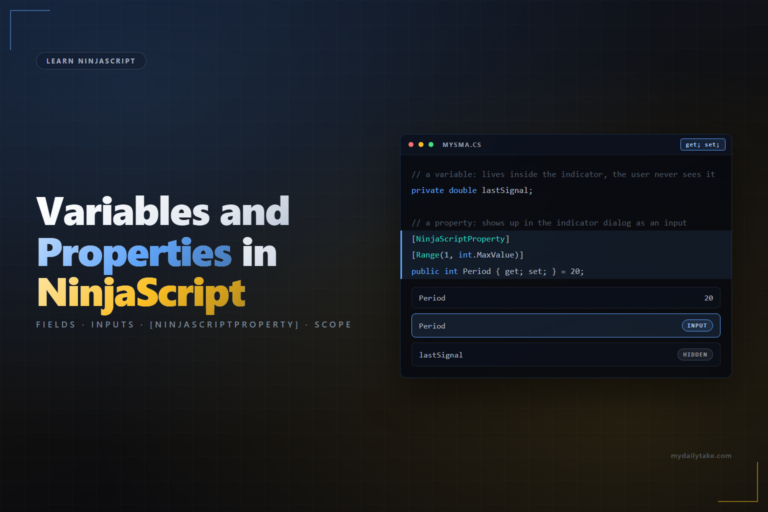
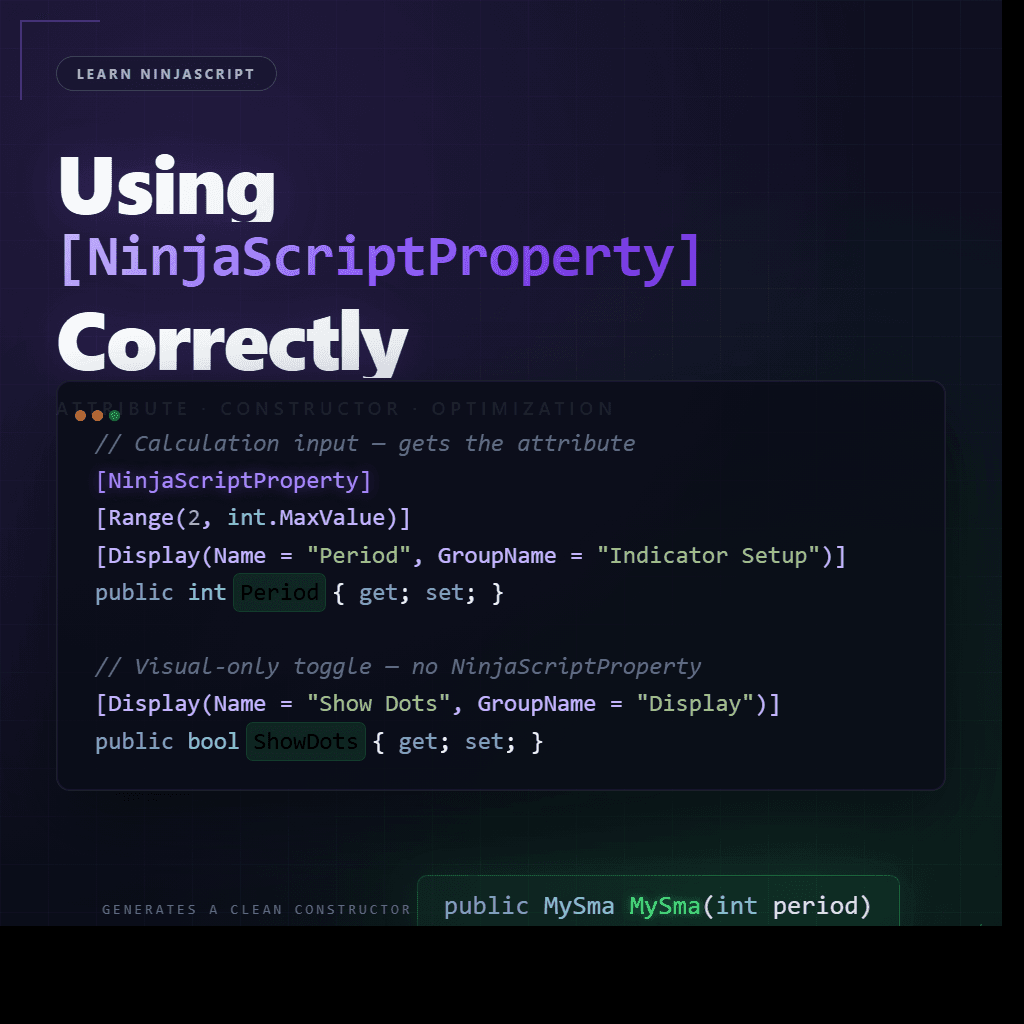
All of that is controlled by the [NinjaScriptProperty] attribute. It’s not about making a property show up in the settings dialog — that’s [Display]. [NinjaScriptProperty] is about external reachability: which properties other scripts can pass, which ones the Strategy Analyzer can iterate over, which ones NinjaTrader serializes when persisting state.
⚙️ What [NinjaScriptProperty] Actually Does
Per NinjaTrader’s own documentation, the attribute marks a property for three things:
- Auto-generated constructor inclusion. The marked property becomes a parameter in the indicator’s auto-generated constructor overload. That’s what lets other indicators and strategies call
MySma(20, 1.0)with your values. - Chart label display. Marked properties appear in the chart label at the top of the panel — the line of text showing the indicator name and the values currently in use.
- Strategy Analyzer optimizability. Only marked properties can be iterated over when running an optimization. An unmarked property is invisible to the optimizer.
What [NinjaScriptProperty] does not do is make a property show up in the settings dialog. That’s handled by [Display]. The two attributes pair naturally on calculation inputs, but they’re separate concerns — a property can have one, both, or neither depending on what role it plays.
🔒 The XML Serialization Rule
Every property marked [NinjaScriptProperty] gets serialized to XML whenever NinjaTrader persists the indicator’s state — workspace saves, chart templates, Strategy Analyzer optimization runs. That means the property’s type has to be XML-serializable.
Types that serialize cleanly: int, double, bool, string, enum, DateTime, and simple structs with default constructors. Types that don’t: Brush, TimeSpan, Series<T>, most custom classes, anything with circular references or a non-default constructor.
If you put [NinjaScriptProperty] on a non-serializable type, NinjaTrader will throw errors the next time a workspace saves or a user runs an optimization. The error is often delayed — it fires mid-session, long after the code compiled cleanly. If you need a non-serializable type as a calculation input (a TimeSpan for a session filter, for example), there’s a secondary-serialization pattern covered in NinjaTrader’s help guide. We’ll tackle it in a dedicated post. For this one, the rule is simple: if the type isn’t a simple serializable one, don’t mark it.
🎯 The Real Decision: Calculation Inputs vs. Visual Settings
A property goes in the [NinjaScriptProperty] bucket only if another script would need to pass it when constructing your indicator. Period? Yes — it changes the output. Multiplier? Yes — same. An enum selecting a moving-average type? Yes.
A line color? No. A strategy calling your indicator doesn’t care what color the line is on a chart — it just needs the numeric output. If you mark every display setting, the constructor signature turns into MySma(20, 1.0, Brushes.LimeGreen, Brushes.Red, true, 12, ...), and every strategy consuming the indicator has to pass visual values that don’t affect the calculation.
The rule of thumb: if the caller of your indicator wouldn’t ever need this value, leave the attribute off. Visual-only settings keep [Display] so they show in the chart’s settings dialog, but they stay out of the external contract.
When to Mark NinjaScriptProperty
| If the property is… | Mark with [NinjaScriptProperty]? | Why |
|---|---|---|
| A calculation input (int, double, bool, enum) | Yes | It changes the output. Callers and the optimizer both need to set it. |
| A visual-only toggle (show/hide, font size, label flag) | No — use [Display] alone | [Display] handles UI visibility. Keeps the constructor focused on calculation inputs. |
| A color / Brush input | No — skip for this post | Brush is not XML-serializable. Covered in a later post on serialization helpers. |
| A non-serializable type needed as a calculation input (TimeSpan, custom struct) | Yes, but with a secondary serializable helper | Pattern documented in the NinjaTrader help guide. Covered in a later post. |
|
A public Series | No | It is not an input. Mark with [Browsable(false)][XmlIgnore]. |
| A computed or derived value | No | Internal to the algorithm. Plain property or private field. |
🛠️ The Anchor Example — Three Properties, Two Treatments
A small SMA-plotter indicator with three properties:
Period— the lookback. Calculation input. Gets[NinjaScriptProperty].Multiplier— scales the plotted value. Calculation input. Gets[NinjaScriptProperty].ShowDots— toggles whether a dot is drawn at each bar. Visual only. Does NOT get[NinjaScriptProperty].
public class MySma : Indicator
{
    protected override void OnStateChange()
    {
        if (State == State.SetDefaults)
        {
            Name        = "My SMA";
            Calculate   = Calculate.OnBarClose;
            IsOverlay   = true;

            Period      = 20;
            Multiplier  = 1.0;
            ShowDots    = false;

            AddPlot(Brushes.LimeGreen, "Value");
        }
    }

    protected override void OnBarUpdate()
    {
        if (CurrentBar < Period) return;

        Values[0][0] = SMA(Period)[0] * Multiplier;

        if (ShowDots)
            Draw.Dot(this, "dot_" + CurrentBar, false, 0,
                     Values[0][0], Brushes.LimeGreen);
    }

    // Calculation input — strategies pass this.
    [NinjaScriptProperty]
    [Range(2, int.MaxValue)]
    [Display(Order = 1, GroupName = "Indicator Setup", Name = "Period",
             Description = "Lookback period for the moving average.")]
    public int Period { get; set; }

    // Calculation input — strategies pass this.
    [NinjaScriptProperty]
    [Range(0.01, double.MaxValue)]
    [Display(Order = 2, GroupName = "Indicator Setup", Name = "Multiplier",
             Description = "Scales the plotted SMA value.")]
    public double Multiplier { get; set; }

    // Visual-only toggle — no NinjaScriptProperty. Stays out of the constructor.
    [Display(Order = 1, GroupName = "Display", Name = "Show Dots",
             Description = "Draws a dot at each bar's SMA value.")]
    public bool ShowDots { get; set; }
}
Compile it, drop it on a chart, and all three properties appear in the settings dialog — because all three have [Display]. But only the two calculation inputs end up in the auto-generated constructor at the bottom of the file:
// From inside the #region NinjaScript generated code (abbreviated):

public Indicators.MySma MySma(int period, double multiplier)
{
    return indicator.MySma(Input, period, multiplier);
}

public Indicators.MySma MySma(ISeries<double> input, int period, double multiplier)
{
    // cache + resolve call
}
A strategy that references this indicator calls MySma(20, 1.0) — two parameters, both calculation-relevant. If the strategy later wants to change dot visibility, it can still do mySma.ShowDots = false; directly after instantiation. Not broken — just not part of the public constructor contract.
The Strategy Analyzer optimizer sees the same two parameters. Period and Multiplier appear as optimizable values. ShowDots doesn’t show up at all — which is exactly right, because there’s nothing to optimize about a visual toggle.
🚫 What NOT to Mark
Beyond the visual-vs-calculation split, three categories of properties should never get [NinjaScriptProperty]:
// 1. Public Series<T> outputs for strategy integration.
//    These are OUTPUTS, not inputs. Mark Browsable(false) + XmlIgnore, skip NinjaScriptProperty.
[Browsable(false)]
[XmlIgnore]
public Series<bool> BuySignal { get { Update(); return sBuySignal; } }

// 2. Computed or derived values. Internal to the algorithm — not configurable.
private double rollingMax;

// 3. Internal state: flags, counters, trackers. Private field, never public.
private int barsSinceSignal;
Signal outputs (like a Series<bool> BuySignal that strategies read to detect cross events) are a particularly common trap. They’re public and they feel like properties a caller would care about — but they’re outputs, not inputs. The constructor builds an indicator with its inputs; outputs come from the indicator at runtime. Never put [NinjaScriptProperty] on an output.
📝 Pitfalls Checklist
- Marking a non-serializable type (
Brush,TimeSpan, custom class) with[NinjaScriptProperty]. Workspace saves and Strategy Analyzer runs will throw. The error often fires mid-session, long after the code compiled cleanly. - Confusing
[NinjaScriptProperty]with[Display]. The first is about external reachability (constructor, optimizer, serialization); the second is about the settings dialog. A property can have one, both, or neither depending on what role it plays. - Marking every property — including visual toggles and colors — so the constructor signature turns into ten parameters strategies have to pass no-ops into. Keeps the external contract clean: calculation inputs only.
- Adding a new
[NinjaScriptProperty]without regenerating the NinjaScript generated region at the bottom of the file. The property doesn’t end up in the constructor or the method cache, and two instances with different values may silently share state. Right-click the indicator in the NinjaScript Editor and pick Generate after any property change. - Putting
[NinjaScriptProperty]on a publicSeries<T>output. Outputs aren’t inputs, andSeries<T>isn’t XML-serializable anyway — wrong tool on both counts. - Relying on
[NinjaScriptProperty]alone to make a property visible in the settings dialog. Without[Display]the property appears but with no friendly name, grouping, or description — it shows up as the raw C# identifier in the default group. Always pair the two on user-facing inputs.