Learn NinjaScript: Using Custom Series for Tracking Data
When you call AddPlot, NinjaScript creates a Series<double> behind the scenes that you access through Values[i]. That’s a custom Series with nothing special done to it — it’s the same type you can create for your own use when you need per-bar tracking that doesn’t belong on a plot.
This post covers when to reach for Series<T> over an array or a dictionary, how to create one safely, and the reset and validity semantics that keep your bars-ago reads from throwing.
⚙️ What a Custom Series Is
A Series<T> is a bar-indexed buffer managed by NinjaTrader. You write to mySeries[0] to set the current bar’s value. You read mySeries[5] to get the value five bars ago. The buffer is sized per the chart’s max-bars-back setting, and NinjaTrader handles the lifetime and memory layout for you.
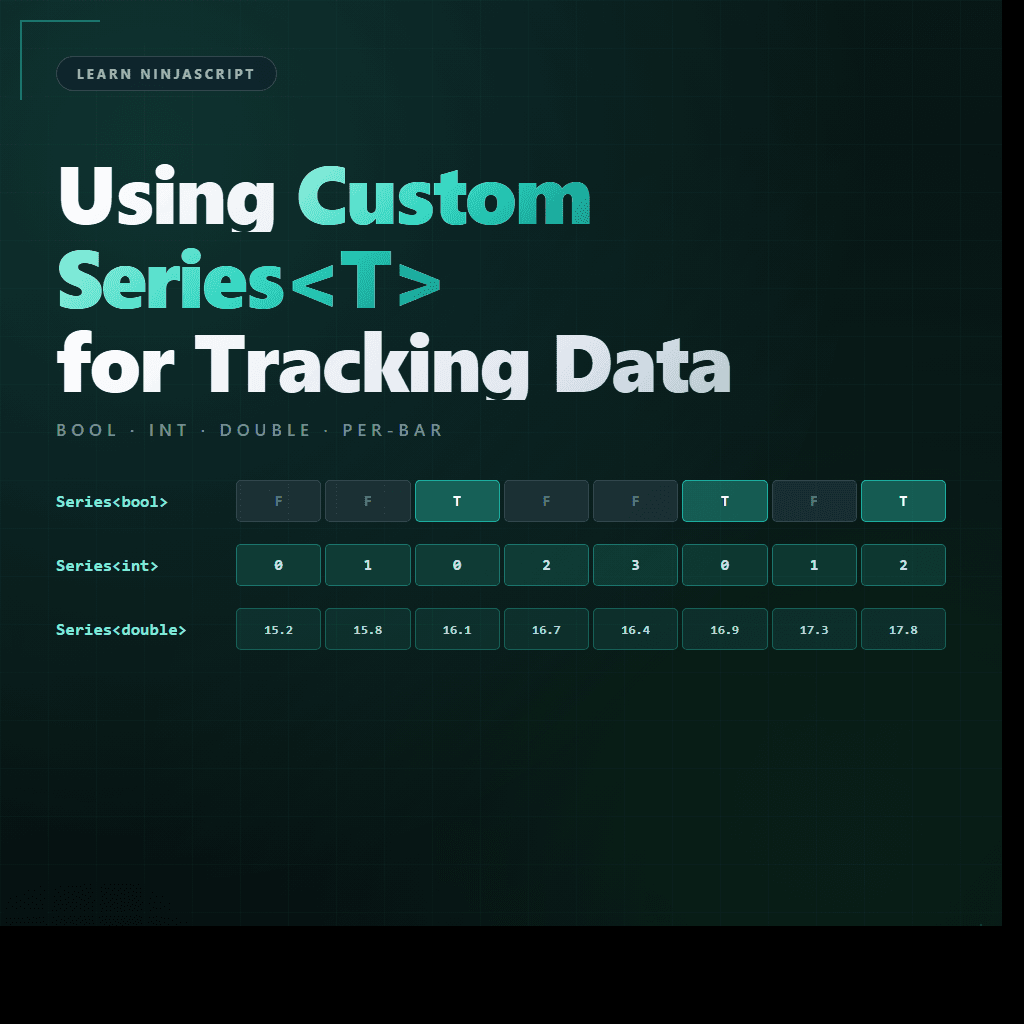
The types you’ll use most are Series<bool>, Series<int>, and Series<double>. Each works the same way — a bars-ago indexer with automatic buffer management. The difference is just what kind of value you’re storing per bar.
🛠️ Creating One in State.DataLoaded
A custom Series is instantiated during State.DataLoaded — after Bars is ready but before OnBarUpdate starts firing:
private Series<bool> signalFired;

protected override void OnStateChange()
{
    if (State == State.SetDefaults)
    {
        // ... SetDefaults configuration
    }
    else if (State == State.DataLoaded)
    {
        signalFired = new Series<bool>(this, MaximumBarsLookBack.Infinite);
    }
}
Two things to notice. First, the constructor takes this — the indicator instance — so the Series knows how to manage its buffer against the chart’s bar count. Second, the MaximumBarsLookBack.Infinite argument tells NinjaTrader to keep every historical value. The default is a shorter buffer that silently truncates — fine for intermediate calculations you only read a few bars back, painful for anything a strategy might want to query against a long history.
If you create the Series in State.SetDefaults you’ll get a null-reference error the first time you try to use it. SetDefaults fires before Bars exists. DataLoaded is where bar-backed resources come to life.
🔢 Indexing and Writing
Writing a value: signalFired[0] = true;. Reading: bool was = signalFired[3]; gets the value three bars ago. This is the same bars-ago convention used everywhere else in NinjaScript — [0] is current, [N] is N bars back.
Reset — clearing the current bar’s value as “no data” rather than setting it to a default — is available via signalFired.Reset(). On reset, the slot reads back as the type’s default: false for Series<bool>, 0 for Series<int>, and “not a valid data point” for Series<double>. The double case matters most — you can test IsValidDataPoint(barsAgo) to distinguish “value was reset” from “value was zero.”
🆚 Custom Series vs Dictionary vs Array
Three ways to track per-bar data, and they have different sweet spots. The short version: for bar-indexed data you read back by bars-ago, Series wins. For per-bar data you look up by bar index inside OnRender, a Dictionary keyed on CurrentBar wins. For fixed-length rolling history you manage yourself, an array can be simpler but adds bookkeeping.
Custom Series vs Alternatives
| Storage | When to Use | When Not To |
|---|---|---|
|
Series | Per-bar values you read back by bars-ago. Plot-like data without the plot. | Data keyed on something other than the current bar index (e.g., absolute bar index in OnRender). |
|
Dictionary | Per-bar data consumed by OnRender via absolute bar index. O(1) lookup inside the render loop. | Data you want to read via bars-ago from OnBarUpdate logic. Series is simpler. |
|
Array / List | Fixed-length rolling history, small buffers, or values not anchored to bar indexing. | Anything bar-indexed across many bars. You will end up reimplementing Series. |
| Private scalar field | Single latest value. Counter, flag, or current-state tracking. | Anything you need history for, or anything a strategy would want to look back on. |
🛠️ The Anchor Example — MySma With a DirectionChanged Series
Extending MySma. We add a Series<bool> that’s true on any bar where the SMA slope flipped (went from rising to falling or vice versa). Strategies can read this Series to detect direction changes without recomputing the slope themselves.
private Series<bool> sDirectionChanged;

public override void OnStateChange()
{
    // ... SetDefaults as before ...
    if (State == State.DataLoaded)
    {
        sDirectionChanged = new Series<bool>(this, MaximumBarsLookBack.Infinite);
    }
}

protected override void OnBarUpdate()
{
    if (CurrentBar < Period + 1) return;

    double current  = SMA(Period)[0];
    double previous = SMA(Period)[1];
    double twoBack  = SMA(Period)[2];

    bool wasUp    = previous > twoBack;
    bool nowUp    = current  > previous;
    bool flipped  = wasUp != nowUp;

    sDirectionChanged[0] = flipped;

    Values[0][0] = current;
}

// Public output for strategies. No NinjaScriptProperty — this is an output.
[Browsable(false)]
[XmlIgnore]
public Series<bool> DirectionChanged
{
    get { Update(); return sDirectionChanged; }
}
A strategy instantiating MySma can now read mySma.DirectionChanged[0] to check whether the current bar is a direction-flip bar, [3] to check three bars ago, and so on. The Series handles all of the bar-indexed storage; the strategy code is just one boolean read per bar.
📝 Pitfalls Checklist
- Creating a Series in
State.SetDefaults. Too early —Barsisn’t ready. Move it toState.DataLoaded. - Forgetting
MaximumBarsLookBack.Infinite. The default buffer is short. If a strategy ever queries a value beyond that depth it throws. Make it Infinite unless you have a specific reason not to. - Reading
[barsAgo]beyond the buffer length. Even with Infinite, you can’t read before bar 0. Guard withCurrentBar < Nchecks before accessing[N-1]and deeper. - Using
double.NaNas a sentinel.Reset()is the idiomatic way to mark a bar as “no value.” Checking validity withIsValidDataPoint(barsAgo)is how you test it.double.IsNaNwill silently miss some reset cases. - Exposing a Series output with
[NinjaScriptProperty]. Outputs aren’t inputs. Mark them[Browsable(false)][XmlIgnore], skip[NinjaScriptProperty]— as covered in Post 4. - Not calling
Update()in the public getter. If a strategy reads your Series from its ownOnBarUpdate, the indicator may not have processed the current bar yet.Update()forces a catch-up before returning the Series.