
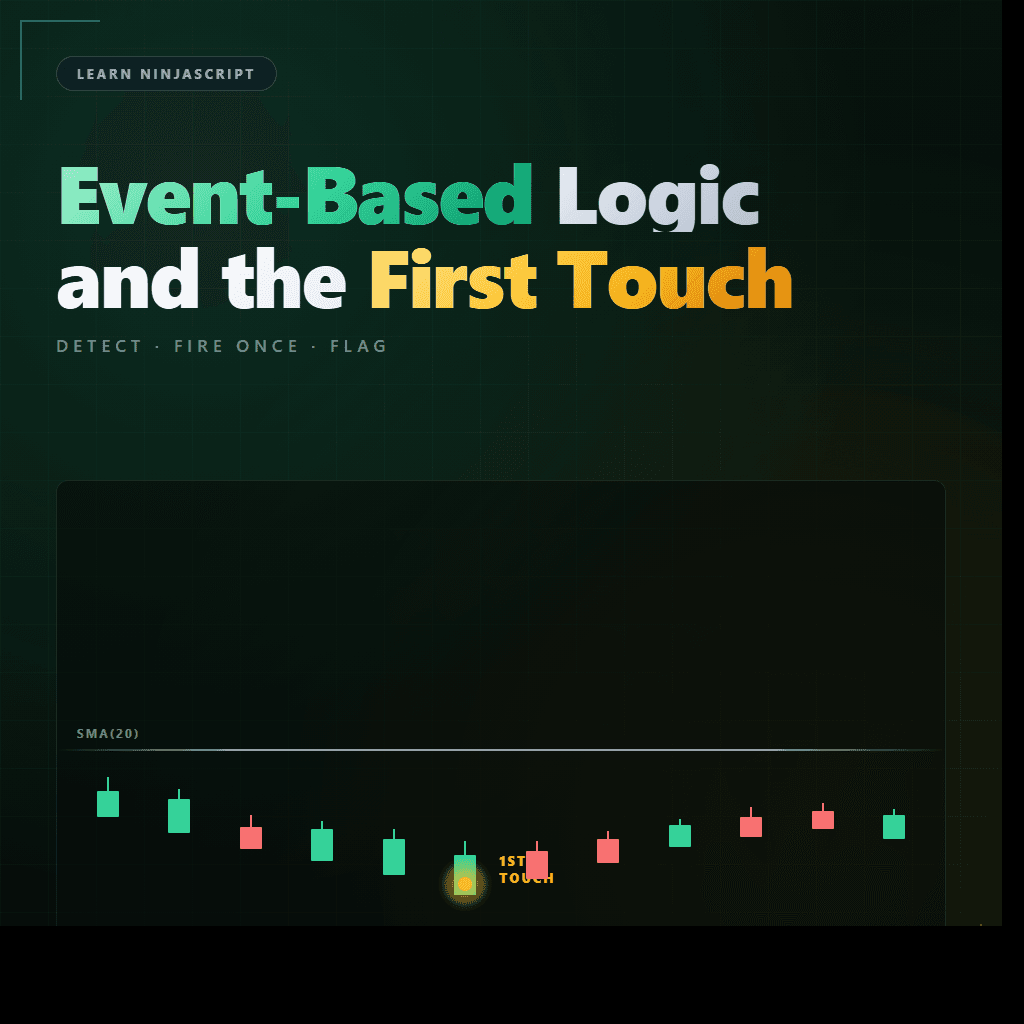
Learn NinjaScript: Event-Based Logic and the First Touch
Some logic should run only when something happens — price touches a level, a gap fills, a session opens, a threshold crosses. The naive approach is to poll every bar with an if. The better approach is event detection: detect the transition, fire once, set a flag so it doesn’t re-fire until reset.
This post covers the event-detection patterns: the fired-this-bar flag for “once per bar” events, the once-per-session flag for daily events, and the touch-detection approach that works whether you care about the first touch or every touch.
⚙️ Event vs Polling
Polling means “on every bar, check if the condition is true right now.” Event detection means “on every bar, check if the condition just became true.” Subtle difference, critical semantics.
“Is price currently touching the SMA?” is polling — true on every bar where price happens to be at the SMA level. “Did price just touch the SMA for the first time today?” is event detection — true on exactly one bar per day.
For signals, events almost always win. An arrow that draws on every bar where price is at a level fires hundreds of times per chart — noise. An arrow that draws on the single bar where price first reached the level fires once — signal.
🎯 Common Events
Events that come up regularly in indicators and strategies:
- Price touch. First touch of a level, every touch of a level, N-th touch within a window.
- Gap fill. An overnight gap’s high or low is reached for the first time.
- Session transitions. First bar of session, last bar of session, first bar after lunch break.
- Threshold crosses. RSI above 70 for the first time, volume past its 20-bar average.
- Session extremes reached. First new session high, first break of session low.
Each one shares the same structural pattern — check for the transition, fire, set a flag so it doesn’t re-fire.
🚩 The Fired-This-Bar Flag
For events that should fire once per bar even on OnPriceChange/OnEachTick Calculate modes, combine IsFirstTickOfBar (from Post 3) with a per-bar fired flag:
private bool firedThisBar;

protected override void OnBarUpdate()
{
    if (IsFirstTickOfBar)
        firedThisBar = false;   // new bar — reset

    if (!firedThisBar && EventJustHappened())
    {
        FireEvent();
        firedThisBar = true;   // don't fire again this bar
    }
}
The flag resets on every new bar (via IsFirstTickOfBar) and blocks re-firing within the same bar. On OnBarClose the flag mechanism is redundant — each bar’s OnBarUpdate fires once — but adding it doesn’t hurt and makes the code portable across modes.
📅 Daily-Event Flags
For events that should fire once per day rather than once per bar, reset on Bars.IsFirstBarOfSession:
private bool firstTouchFiredToday;

protected override void OnBarUpdate()
{
    if (Bars.IsFirstBarOfSession)
        firstTouchFiredToday = false;   // new session — reset

    if (!firstTouchFiredToday && PriceTouchedSMA())
    {
        FireEvent();
        firstTouchFiredToday = true;   // done for the day
    }
}
“First touch of SMA after the session open” is what this does. The flag stays true for the rest of the day, so subsequent touches don’t fire. Next session open flips it back to false and the cycle starts again.
🛠️ The Anchor Example — MySma With a First-Touch Event
Extending MySma with an event emitter that fires the first time price touches the SMA after the daily session open. One arrow per session, no more:
private bool touchedToday;

protected override void OnBarUpdate()
{
    if (CurrentBar < Period) return;

    if (Bars.IsFirstBarOfSession)
        touchedToday = false;

    Values[0][0] = SMA(Period)[0];

    // First touch detection: price range overlapped the SMA value.
    double sma = SMA(Period)[0];
    bool touching = Low[0] <= sma && High[0] >= sma;

    if (!touchedToday && touching)
    {
        Draw.Dot(this, "firsttouch_" + CurrentBar, false, 0, sma,
                 Brushes.Gold);
        touchedToday = true;
    }
}
Runs once per session. Works the same whether you’re on OnBarClose, OnPriceChange, or OnEachTick — the daily flag protects against multi-fire regardless of Calculate mode.
📝 Pitfalls Checklist
- Double-firing on live modes. Without
IsFirstTickOfBarresetting the flag, a condition that evaluates true multiple times within a single bar fires multiple events. The flag blocks it; forgetting the flag means the bar can fire many events. - Never resetting the daily flag. Event fires on day 1, then never again for the life of the chart. The reset on
IsFirstBarOfSessionis what makes the pattern work across sessions. - “Touched” defined by Close only. If your condition checks
Close[0] == level, you’ll miss bars where the wick touched but the close didn’t. The correct check is range-based:Low[0] <= level && High[0] >= level. - Fire condition evaluated after state has changed. If you update the state variable before checking whether the event just occurred, you’ll miss the transition. Check first, update second.
- Race between event-fire logic and order submission. In a strategy, an event firing from
OnBarUpdateplus the resulting order submission should be on the same bar, not split across bars. - Using session date comparisons instead of
IsFirstBarOfSession. Date comparisons break on overnight sessions where the session spans two calendar days. The built-in check respects the chart’s session template.



![Cosine Kernel Regressions [QuantraSystems] Conversion](https://mydailytake.com/wp-content/uploads/2024/06/CosineKernelRegressions_5-Minute_NQ-768x458.png)
