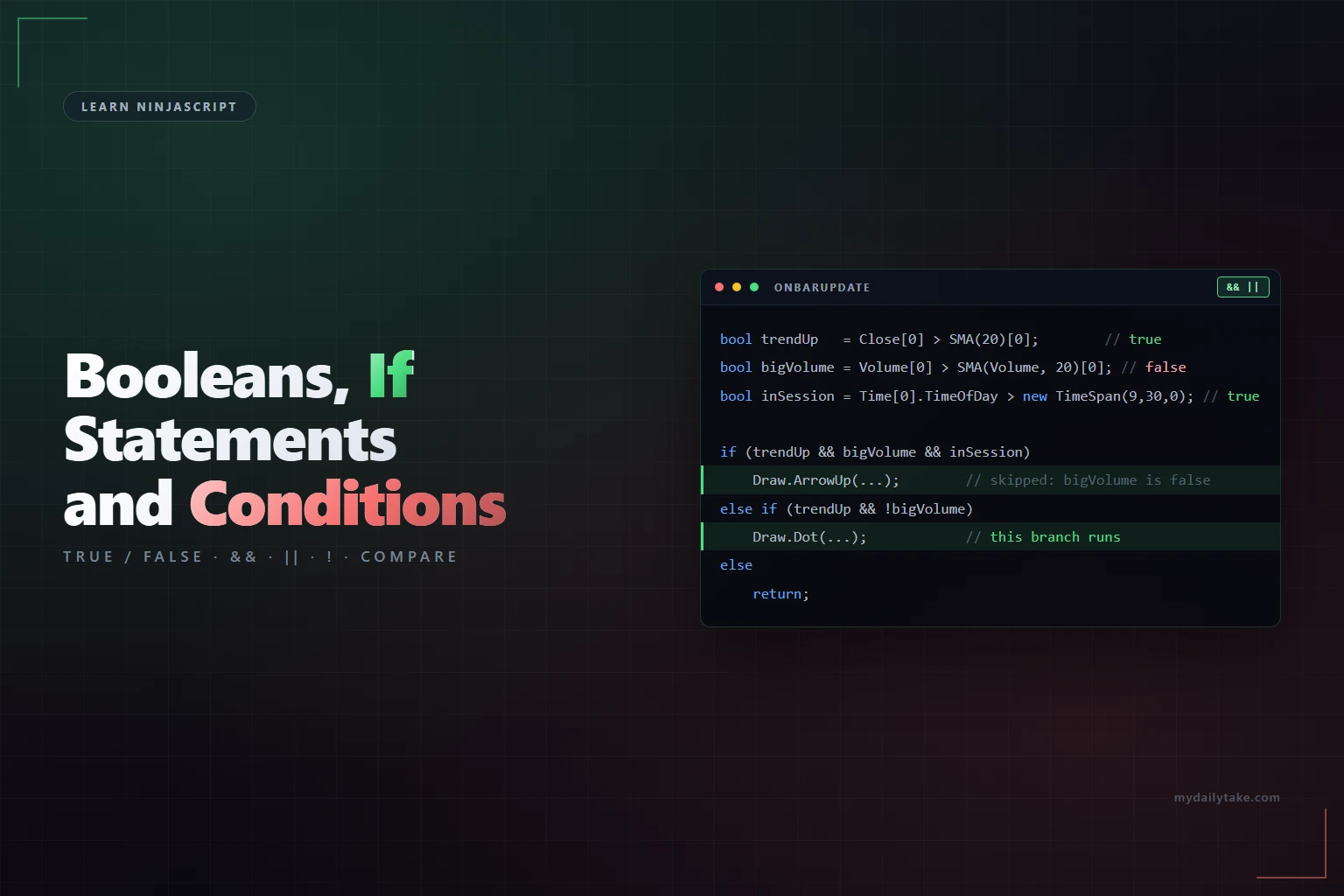
Learn NinjaScript: Booleans, If Statements, and Conditions
In the world of automated trading and indicator building, logic is everything. Whether you’re trying to trigger a signal when price crosses above a moving average or avoid double entries during a trend, NinjaScript uses one tool more than almost any other: the bool.
Booleans (true or false values) are how NinjaTrader scripts think. Combine them with if statements and conditional logic, and suddenly your code can start making decisions—just like a trader.
This post is designed to help you get comfortable writing condition-based logic in NinjaScript. We’ll walk through the basics like checking if price is above an EMA, all the way to more advanced techniques like signal flags, ternary expressions, and organizing your logic into reusable methods.
Whether you’re just starting or already writing strategies, mastering conditional logic is a must. Let’s dive in! 🚀
📚 Related NinjaScript Lessons So Far
If you’re new here, make sure you check out the earlier posts too:
- Understanding the NinjaTrader Indicator Structure
- Variables and Properties in NinjaScript
- OnStateChange() Lifecycle Explained
- OnBarUpdate() Fully Explained
- Learn how to use Series<T>
- Learn NinjaScript Plots
- Learn NinjaScript Lines
- How to use NinjaScript Brushes
- Creating and Using Methods & Functions
- Add-On Your Way to Cleaner Code
- Using Lists, Dictionaries, and Arrays
- Creating and Using Classes Inside an Indicator
- Drawing on the Chart with Draw Objects
- Alerts, PlaySound, and Rearm Control
- Create and Use Custom Enums
🟢 What Does Logic Mean in Trading?
Before we get into the code, let’s ground this in something every trader understands: decisions.
Every trading plan has logic baked into it—even if it’s not written down. For example:
- If price is above the 20 EMA and RSI is oversold, I want to look for a long setup.
- If the candle closes below support with volume, I want to short the next pullback.
In NinjaScript, we turn those decisions into conditional expressions. We write code that evaluates the current market data and answers with true or false.
That’s where Booleans come in. They’re the building blocks of decision-making. They don’t hold numbers or text—just a simple answer: ✅ Yes (true) or ❌ No (false).
Once you understand how to build and combine these yes/no questions, you can start automating your logic like a pro.
📘 What is a Boolean (bool)?
In NinjaScript, a Boolean—written as bool—is a type of variable that can only have two possible values: true or false.
That’s it. No prices, no text, no arrays—just a yes or no.
Booleans are incredibly useful when you’re writing conditions in your code. Think of them as little switches that tell your script whether something is happening right now.
Here’s a simple example:
bool isGreenCandle = Close[0] > Open[0];This line checks whether the current candle closed higher than it opened. If it did, isGreenCandle becomes true. If not, it’s false.
You can name a Boolean anything you want, but it helps to keep the name clear and readable. Examples:
bool aboveEMA = Close[0] > EMA(20)[0];
bool rsiOversold = RSI(14)[0] < 30;
bool priceBreakingOut = High[0] > MAX(High, 20)[1];
Each one answers a specific yes/no question about the market—just like you would while watching the chart. And once you have these answers, you can start using them to control what your script does next.
🛠 Declaring and Using Booleans
Booleans are declared just like other variables in NinjaScript, using the bool keyword. You can declare them in different parts of your script depending on how you want them to behave—whether they should reset every bar, or remember their value across multiple bars.
Understanding where you declare a Boolean is just as important as what it does. This comes down to scope—whether a variable exists only temporarily inside a method, or whether it can persist and be reused throughout the life of your script.
🔹 Inside OnBarUpdate() or a method (local scope)
This is the most common way to use booleans when you just want to check a condition on the current bar only.
protected override void OnBarUpdate()
{
    bool isBullish = Close[0] > EMA(20)[0];
}
Here, isBullish exists only inside OnBarUpdate() and only for that single execution. It gets re-declared and re-evaluated every time a new bar (or tick) comes in.
This is perfect for logic that you want to calculate and use immediately—like setting a brush color or drawing an object.
🔹 At the top of the script (class-level scope)
Sometimes, you need your code to remember what happened on previous bars. In these cases, you’ll want to declare the Boolean as a class-level variable, near the top of your script:
private bool hasFiredSignal = false;This variable keeps its value between bars. You can set it to true on one bar and check it again several bars later—critical for tracking things like “has this setup already triggered?”
🔄 Booleans Reset Every Bar (declared inside OnBarUpdate())
Let’s look at an example to really drive this home. Suppose you want to fire a signal when price goes above the 20 EMA:
protected override void OnBarUpdate()
{
    bool signalFired = false;

    if (Close[0] > EMA(20)[0])
        signalFired = true;

    if (signalFired)
        Draw.Text(this, "Signal" + CurrentBar, "🔥", 0, High[0] + 2, Brushes.Lime);
}
You might think this would only draw the signal once. But it actually draws it every single bar that price is above the EMA. Why? Because signalFired is declared inside OnBarUpdate(), which means it’s reset back to false at the start of every new bar. It has no memory.
If you want to draw that signal once, the right way is to use a class-level Boolean that persists between bars:
private bool signalFired = false;

protected override void OnBarUpdate()
{
    if (!signalFired && Close[0] > EMA(20)[0])
    {
        Draw.Text(this, "Signal" + CurrentBar, "🔥", 0, High[0] + 2, Brushes.Lime);
        signalFired = true;
    }
}
Now your script keeps track of whether the signal has already fired. It checks the condition and only acts the first time it becomes true.
👉 This is a core concept in NinjaScript: If your logic needs memory, scope your variables accordingly.
🔁 if, else if, and else
Now that you’ve learned how to create a Boolean—basically a true/false switch—it’s time to use that information to make your script do something. That’s where the if statement comes in.
An if statement is how your script makes decisions. It checks a condition, and if that condition is true, the code inside the if block will run. If the condition is false, the code is skipped.
Here’s the basic format:
if (condition)
{
    // Do something if condition is true
}
So if you wrote this:
if (Close[0] > EMA(20)[0])
{
    Draw.Dot(this, "Above", true, 0, High[0] + 1, Brushes.Green);
}
Your script would draw a green dot above the current candle only when price is above the 20-period EMA.
🔄 What About else if and else?
Not everything in trading is a simple yes or no. Sometimes, you want to handle multiple possible outcomes—and that’s where else if and else come into play.
Let’s walk through an example:
if (Close[0] > EMA(20)[0])
{
    Draw.Dot(this, "Above", true, 0, High[0] + 1, Brushes.Green);
}
else if (Close[0] < EMA(20)[0])
{
    Draw.Dot(this, "Below", true, 0, Low[0] - 1, Brushes.Red);
}
else
{
    Draw.Dot(this, "Neutral", true, 0, Close[0], Brushes.Gold);
}
Here’s what’s happening in plain language:
- 🟢 First, the script checks if the closing price is above the 20 EMA.
- If that’s true, it draws a green dot above the bar and skips everything else.
- 🔴 If the first condition was false, it moves on to the
else ifand checks whether price is below the 20 EMA.- If that’s true, it draws a red dot below the bar.
- 🟡 If both of those were false, it means price is exactly equal to the EMA (rare, but possible), so it falls through to the final
elseand draws a gold dot at the closing price.
🧠 Think of if, else if, and else as a priority list:
- Try the first condition.
- If that’s not true, try the next.
- If nothing is true, do the default.
Each block only runs once at most—whichever condition is matched first. And if none of them are true, only the else (if it exists) will run.
This structure helps keep your logic clean and avoids overlapping or conflicting actions. You’ll use this pattern all the time when designing trading rules that behave differently in uptrends, downtrends, or neutral markets.
🧮 Logical Operators: &&, ||, and !
As your trading logic gets more advanced, you’ll often need to check multiple conditions at the same time. That’s where logical operators come in.
These operators allow you to combine booleans—so you’re not just asking “Is this true?” but “Are both of these true?” or “Is at least one of these true?” or even “Is this not true?”
Let’s break down the three core logical operators you’ll use in NinjaScript.
✅ && (AND)
The && operator means both sides must be true for the overall condition to be true.
This is useful when you want to stack multiple confirmations before taking action—something every disciplined trader does.
if (Close[0] > EMA(20)[0] && RSI(14)[0] < 30)
{
    Draw.Text(this, "BuyZone", "Potential Long", 0, Low[0] - 2, Brushes.LimeGreen);
}
What this says:
- ✅ Condition 1: Price is above the 20 EMA
- ✅ Condition 2: RSI is below 30
Only if both are true will the script draw the label. If just one of them is false, nothing happens.
This is how you create multi-condition setups—like “trend is up and price is oversold.”
⚠️ || (OR)
The || operator means at least one side must be true.
This is helpful for more flexible rules—maybe you want to mark a bar of interest even if only one of your conditions is true.
if (Close[0] > EMA(20)[0] || RSI(14)[0] < 30)
{
    Draw.Dot(this, "Interest" + CurrentBar, true, 0, High[0] + 2, Brushes.Blue);
}
This logic says:
- If price is above the EMA
OR - RSI is below 30
…then go ahead and draw the dot.
Only if both are false does the script skip the drawing.
❌ ! (NOT)
The ! operator flips a Boolean to its opposite.
- If something is
true,!makes itfalse - If something is
false,!makes ittrue
You’ll use this often when you want to skip or block an action under certain conditions.
if (!IsFirstTickOfBar)
    return;
This example checks whether it’s not the first tick of the bar. If it isn’t, the code exits early and does nothing. This helps prevent code from running more than once per bar.
Another common use case is with flags:
if (!hasEnteredTrade && entryCondition)
{
    EnterLong();
    hasEnteredTrade = true;
}
This ensures the trade is only placed if you haven’t already entered.
🧠 Why This Matters
Logical operators are the glue that holds your conditions together. Without them, you’re stuck with one simple “yes/no” question. With them, you can build complex decision-making logic like:
- If the trend is up, and RSI is oversold, and volume is above average…
- If we’ve crossed below the EMA or hit a trailing stop…
- If it’s not the first bar of the session, and a new signal has appeared…
This is how you start to code the types of decisions real traders make—and how you ensure your scripts behave exactly the way you intend.
🧠 Pro Tip: Use Parentheses for Clarity (and to Avoid Mistakes)
As you start combining conditions with && (AND) and || (OR), your logic can get confusing fast. Even though NinjaScript follows strict evaluation rules, it’s easy to misread what a condition is actually doing—especially when you’re scanning through a big block of strategy logic.
Take this example:
if (Close[0] > EMA(20)[0] && RSI(14)[0] < 30 || ADX(14)[0] > 25)It looks like a simple condition, but what’s really being checked here? Does the ADX part apply to both? Is it all one block, or are these separate ideas?
Let’s break it down.
🔍 How NinjaScript Actually Evaluates This
In C# (and NinjaScript), the && operator has higher precedence than ||, which means it gets evaluated first. So even though there are no parentheses, the script treats it like this:
if (((Close[0] > EMA(20)[0]) && (RSI(14)[0] < 30)) || (ADX(14)[0] > 25))So the logic is:
- ✅ If price is above the 20 EMA AND RSI is below 30
OR - ✅ ADX is greater than 25
If either of those two grouped results is true, the if statement will execute.
😬 But That’s Easy to Misread
Looking at the original line of code:
if (Close[0] > EMA(20)[0] && RSI(14)[0] < 30 || ADX(14)[0] > 25)It’s very easy—even for experienced coders—to incorrectly assume this means:
If price is above the EMA, and either RSI is below 30 or ADX is strong…
But that’s not what the computer sees.
🧠 Why You Should Always Use Parentheses
Even though NinjaScript will evaluate the condition correctly based on operator precedence, you should always use parentheses to make your intent clear—for yourself and anyone else reading your code.
Here’s the clean version:
if ((Close[0] > EMA(20)[0] && RSI(14)[0] < 30) || ADX(14)[0] > 25)Or even better, break it into meaningful parts:
bool pullbackSetup = Close[0] > EMA(20)[0] && RSI(14)[0] < 30;
bool strongTrend = ADX(14)[0] > 25;

if (pullbackSetup || strongTrend)
{
    Draw.Text(this, "Signal" + CurrentBar, "Entry Setup", 0, Low[0] - 2, Brushes.Green);
}
This version is easier to read, easier to debug, and makes your strategy logic obvious at a glance.
✅ Rule of Thumb
Whenever you’re mixing && and || in the same condition, use parentheses to be clear about how things are grouped—even if they’re not technically required.
Code that works is good.
Code that reads well and works is even better.
🧹 Refactoring for Clarity
As your conditions get more complex, they can start to look messy—especially when you stack multiple checks inside a single if statement. Sure, it works, but it quickly becomes hard to read, debug, or update later.
Take a look at this:
if (Close[0] > EMA(20)[0] && RSI(14)[0] < 30 && ADX(14)[0] > 20)
{
    Draw.Text(this, "Signal" + CurrentBar, "BUY", 0, Low[0] - 2, Brushes.LimeGreen);
}
This might be fine for quick scripts, but imagine adding more logic, or trying to figure out which part is failing during testing. It’s a headache.
✨ Clean It Up with Intermediate Booleans
You can make your code easier to read (and easier to debug) by splitting those conditions into clearly named variables:
bool aboveEMA = Close[0] > EMA(20)[0];
bool rsiOversold = RSI(14)[0] < 30;
bool adxStrong = ADX(14)[0] > 20;

if (aboveEMA && rsiOversold && adxStrong)
{
    Draw.Text(this, "Signal" + CurrentBar, "BUY", 0, Low[0] - 2, Brushes.LimeGreen);
}
Now it’s instantly obvious what each part of the logic is doing. And if the condition doesn’t fire, you can easily Print() each variable to see which part isn’t working.
🧠 Bonus Tip: Reuse Clean Conditions
Once you’ve broken your logic into parts, you can reuse those same Boolean variables in other parts of your script—for filtering, confirming, or debugging.
For example:
if (aboveEMA && rsiOversold)
    Draw.Dot(this, "SetupDot" + CurrentBar, true, 0, High[0] + 1, Brushes.Orange);

if (aboveEMA && rsiOversold && adxStrong)
    Draw.Text(this, "Signal" + CurrentBar, "Strong BUY", 0, Low[0] - 2, Brushes.Green);
Same building blocks, used for different layers of feedback.
This kind of refactoring isn’t just for neatness—it makes your logic easier to scale, test, and trust.
🎨 Using the Ternary Operator (? :)
The ternary operator is a compact way to make a decision in a single line of code. It’s especially helpful when you want to choose between two values—like two colors, two numbers, or two plot settings—without writing a full if/else block.
If you’ve never used it before, it might look strange at first. But once you understand it, you’ll see it all over the place in NinjaScript indicators.
🔧 What Is It?
The ternary operator has three parts:
condition ? valueIfTrue : valueIfFalse;You can read it as:
“If this condition is true, use this value. Otherwise, use that one.”
Let’s look at a quick example:
bool isBullish = Close[0] > Open[0];
Brush candleColor = isBullish ? Brushes.Green : Brushes.Red;
In this case:
- If the current candle closed higher than it opened (
true),candleColoris set to green. - If not (
false), it’s red.
This is exactly what a beginner might first do using if/else like this:
Brush candleColor;
if (Close[0] > Open[0])
    candleColor = Brushes.Green;
else
    candleColor = Brushes.Red;
Both versions do the same thing—the ternary version is just more concise.
🖌️ Real NinjaScript Example – Plot Coloring
Here’s a classic use case in indicator development: setting brush color based on trend.
PlotBrushes[0][0] = trend > 0 ? Brushes.Lime : (trend < 0 ? Brushes.Magenta : Brushes.Gold);Let’s break it down:
- If
trend > 0, color the plot lime green - Else if
trend < 0, color it magenta - Else (trend is exactly 0), color it gold
This is a nested ternary, which is allowed—but can get confusing if overused. You could write the same thing using if/else, but it would take up more lines.
📉 Another NinjaScript Example – Controlling When to Plot
You might only want to show a plot when a condition is true—like a signal bar or an entry trigger. Otherwise, you don’t want anything to show at all.
Values[0][0] = triggerCondition ? Close[0] : double.NaN;Here:
- If
triggerConditionis true, we plot the closing price. - If not, we assign
double.NaN, which tells NinjaTrader not to display anything on the chart for that bar.
This is a super common technique for indicators that highlight specific candles or setups.
⚠️ Use With Care
The ternary operator is powerful—but it can also become hard to read if you try to cram too much into it.
✅ Good use:
brush = isUp ? Brushes.Green : Brushes.Red;🚫 Hard to read:
brush = signal ? (strongTrend ? Brushes.Blue : Brushes.Lime) : (isLate ? Brushes.Gray : Brushes.Black);If you find yourself stacking multiple ternary conditions together, it’s usually better to go back to plain old if statements for clarity.
✅ Rule of Thumb
Use the ternary operator when:
- You’re choosing between two simple values
- You want to keep one-liners clean and readable
- The logic is short, not nested or complex
Stick with if/else when:
- You need to do more than just assign a value
- You want to include multiple actions or logic blocks
- You’re debugging or writing something that needs to be crystal clear
The goal is to make your code easier to read—not just shorter.
🏁 Boolean Flags and State Tracking
In real-world trading logic, it’s not enough to just check what’s happening on the current bar—you often need to know if something already happened on a previous bar. That’s where Boolean flags come in.
A flag is simply a bool variable that helps your script remember a state or event over time. Instead of recalculating the same thing every bar, you use the flag to track whether a certain condition has already triggered.
📍 Why Use a Flag?
Let’s say you want to enter a long trade the first time price crosses above the EMA. But you only want to do it once, not on every bar that remains above the EMA.
Without a flag, your script might trigger over and over:
if (Close[0] > EMA(20)[0])
    EnterLong(); // This could fire repeatedly
To fix this, you add a flag:
private bool hasEnteredTrade = false;

protected override void OnBarUpdate()
{
    if (!hasEnteredTrade && Close[0] > EMA(20)[0])
    {
        EnterLong();
        hasEnteredTrade = true; // Mark the signal as used
    }
}
Now it only enters the trade once—even if the condition remains true on the next few bars.
🔁 Resetting the Flag
Flags don’t reset on their own—you control when to turn them back off. That gives you full control over when a setup can be reused.
For example, you might reset the flag when price drops back below the EMA:
if (Close[0] < EMA(20)[0])
    hasEnteredTrade = false;
This setup creates a reusable signal that only fires when price crosses up through the EMA—not while it stays above it.
🧠 Flags Are Everywhere in NinjaScript
You’ll use flags for:
- Preventing repeat entries
- Controlling when alerts or sounds fire
- Tracking if a signal condition has already printed
- Managing multi-step patterns or conditions
They’re simple, but they’re essential when you need your script to behave consistently and not “spam” actions on every bar.
✅ Tip: Use Clear Flag Names
Name your flags based on what they track. For example:
private bool signalFired;
private bool isTrendActive;
private bool alreadyAlerted;
Clear naming makes your logic easier to understand, especially as your script grows.
🔄 Comparing Current and Previous Boolean States
So far, we’ve been working with conditions on a single bar—but many trading signals are triggered by a change, not just a state.
For example:
- A crossover doesn’t matter unless it just happened
- You only want to alert when something flips from
falsetotrue - You may want to highlight new setups, not ongoing ones
To do that, you need to compare the current value of a Boolean to its value on the previous bar.
🔁 Example: Detecting a Signal Flip
Let’s say you want to detect the moment price crosses above an EMA. This condition alone:
bool isAboveEMA = Close[0] > EMA(20)[0];…is true every bar that price remains above the EMA. But we only care about the first bar that makes the cross.
So we compare the current bar to the previous one:
bool isAboveNow = Close[0] > EMA(20)[0];
bool wasAboveLastBar = Close[1] > EMA(20)[1];

if (!wasAboveLastBar && isAboveNow)
{
    Draw.ArrowUp(this, "CrossUp" + CurrentBar, true, 0, Low[0] - 1, Brushes.Green);
}
This checks for a change from false to true—meaning the cross just happened.
🔁 Example: Detecting a Trend Reversal
Let’s say you’re tracking whether the market is in a bullish or bearish state based on some condition:
bool bullishNow = Close[0] > EMA(50)[0];
bool bullishPrev = Close[1] > EMA(50)[1];
You can compare those values to check for a state change:
if (bullishPrev && !bullishNow)
    Draw.Text(this, "FlipDown" + CurrentBar, "Trend weakening", 0, High[0] + 2, Brushes.Red);

if (!bullishPrev && bullishNow)
    Draw.Text(this, "FlipUp" + CurrentBar, "Trend strengthening", 0, Low[0] - 2, Brushes.Lime);
This gives you a way to react only when something changes, rather than repeating logic every bar.
🧠 Why It Matters
Comparing Boolean values across bars lets you:
- Detect new breakouts or breakdowns
- Catch momentum shifts
- Avoid redundant signals
- Improve entry timing
This technique is the foundation of many indicators and strategies—especially when you don’t want to react every time a condition is true, but only when it becomes true.
🔂 Multi-Bar Confirmations (Debouncing Logic)
Not every signal is useful the moment it appears. Sometimes, you want a condition to be true for several bars in a row before you take action—especially if you’re trying to avoid reacting to noise or false setups.
This concept is often called confirmation, or in coding terms, debouncing.
🟨 Example: Trend Must Hold for 3 Bars
Let’s say you want to confirm that price is holding above the EMA—not just testing it briefly.
Here’s how you could write that with a loop:
bool condition = true;

for (int i = 0; i < 3; i++)
{
    if (Close[i] <= EMA(20)[i])
        condition = false;
}
This sets condition to true only if the current bar and the two before it all closed above the EMA.
You can then use that Boolean like any other:
if (condition)
    Draw.Text(this, "HoldAbove" + CurrentBar, "3-Bar Confirmed Uptrend", 0, Low[0] - 2, Brushes.Green);
🔁 Flexible Time Windows
You can adjust the loop to any lookback period:
int barsToConfirm = 5;
bool aboveEMA = true;

for (int i = 0; i < barsToConfirm; i++)
{
    if (Close[i] <= EMA(20)[i])
        aboveEMA = false;
}
This gives you a reusable way to say, “Only fire when this condition has held for N bars in a row.”
🧠 Why This Matters
Multi-bar confirmation helps you:
- Avoid reacting to 1-bar spikes or fakeouts
- Wait for pullbacks to resolve
- Confirm trend or breakout strength
- Reduce signal noise in choppy markets
And it’s simple to implement with just a loop and a Boolean.
🧵 Clean Code: Boolean Helper Methods
As your indicator or strategy grows, your OnBarUpdate() method can get cluttered with logic—especially when you have multiple conditions that repeat in different places. That’s where helper methods come in.
Instead of rewriting the same logic multiple times, you can define a method that returns a bool and reuse it anywhere in your script.
🧪 Example: Creating a Reusable Signal Condition
Let’s say you want to define a simple long setup:
- Price is above the EMA
- RSI is oversold
- ADX is showing trend strength
Instead of checking those in multiple places like this:
if (Close[0] > EMA(20)[0] && RSI(14)[0] < 30 && ADX(14)[0] > 20)
    Draw.Text(this, "Buy" + CurrentBar, "BUY", 0, Low[0] - 2, Brushes.Lime);
You can create a method:
private bool IsValidBuySetup()
{
    return Close[0] > EMA(20)[0]
        && RSI(14)[0] < 30
        && ADX(14)[0] > 20;
}
Then call it wherever you need:
if (IsValidBuySetup())
    Draw.Text(this, "Buy" + CurrentBar, "BUY", 0, Low[0] - 2, Brushes.Lime);
🧠 Why This Is Useful
- Keeps
OnBarUpdate()clean and readable - Makes your code easier to maintain and update
- Makes testing easier—just
Print()the return value of the method - Helps you reuse the same logic in multiple conditions or modules
If you want to get even more flexible, you can make methods that take parameters:
private bool IsPriceAboveEMA(int period)
{
    return Close[0] > EMA(period)[0];
}
Now you can call:
if (IsPriceAboveEMA(50))This structure is a big step toward writing reusable building blocks—just like professional indicators and strategies.
📊 Using Series<bool> for Per-Bar Boolean Tracking
So far, we’ve been working with single Boolean variables—true or false right now, maybe with a flag to remember something. But what if you want to store the result of a condition for every bar, just like you would with price or volume?
That’s where Series<bool> comes in.
A Series<bool> is like a timeline of Boolean values. It lets you track whether a condition was true or false on every bar in your chart, and access that history just like you would with Close[1], High[3], etc.
🔧 How to Declare and Use Series<bool>
Start by declaring it at the class level:
private Series<bool> signalSeries;Then initialize it in State.DataLoaded:
if (State == State.DataLoaded)
    signalSeries = new Series<bool>(this);
Now you can assign a Boolean value to the current bar in OnBarUpdate():
bool isBreakout = Close[0] > MAX(High, 20)[1];
signalSeries[0] = isBreakout;
And access it later:
if (!signalSeries[1] && signalSeries[0])
{
    // Breakout just happened!
    Draw.ArrowUp(this, "Breakout" + CurrentBar, true, 0, Low[0] - 1, Brushes.Lime);
}
🧠 Why Use Series<bool>?
Series<bool> lets you:
- Store custom signal states per bar
- Look back at past Boolean conditions (just like price)
- Compare how signals evolve over time
- Avoid recalculating the same logic repeatedly
This is especially helpful when you’re layering indicators, filtering setups, or trying to trigger signals based on what happened N bars ago.
✅ Tip: Use Descriptive Series Names
Name your Boolean series based on what they track:
Series<bool> hasBrokenResistance;
Series<bool> wasOversold;
Series<bool> firedEntrySignal;
This keeps your code easy to follow—especially when you’re building tools with multiple logical layers.
⚙️ Performance Considerations for Boolean Logic
For small scripts or indicators, Boolean logic is fast and lightweight. But as your code gets more complex—especially when you add multiple indicators, visual objects, or run on tick data—efficiency starts to matter.
Even simple conditions can slow things down if they’re repeated unnecessarily or applied to every single bar without filtering.
Here are a few best practices to keep your NinjaScript clean and performant:
🧠 Tip 1: Don’t Repeat Expensive Calculations
Every time you call something like EMA(50)[0], NinjaTrader calculates that value. If you call it twice in the same bar—even in the same line—that’s two indicator evaluations.
❌ Less efficient (evaluates EMA twice)
if (Close[0] > EMA(50)[0] && Close[0] > EMA(50)[0] + 5)Even though this looks compact, NinjaTrader has to compute EMA(50)[0] two separate times.
✅ More efficient (evaluate once, reuse)
double emaValue = EMA(50)[0];
bool aboveEMA = Close[0] > emaValue;

if (aboveEMA && Close[0] > emaValue + 5)
This version calculates the EMA once, stores it, and reuses it wherever needed. It’s faster, cleaner, and easier to debug or print if something goes wrong.
🧠 Tip 2: Exit Early to Skip Unnecessary Logic
The less work your script does per bar, the faster it runs—especially on historical data.
Use early returns to exit OnBarUpdate() when you don’t need to run your logic:
if (BarsInProgress != 0) return;
if (CurrentBar < 50) return;  // Skip until we have enough data
This keeps your conditions, drawings, and indicator calls from executing too early or too often.
🧠 Tip 3: Use Booleans to Control Visual Output
Drawing on every bar—especially in historical data—can slow things down fast. Instead of always drawing, use Boolean conditions or flags to limit when drawings occur:
if (entrySignal && !signalAlreadyDrawn)
{
    Draw.ArrowUp(this, "Entry" + CurrentBar, true, 0, Low[0] - 1, Brushes.Green);
    signalAlreadyDrawn = true;
}
This keeps your chart clean and reduces memory usage during long backtests or playback.
✅ Rule of Thumb
Booleans aren’t just for decisions—they’re also a great tool for controlling when your logic runs and how much work your script does.
- Calculate indicator values once and reuse them
- Filter out unnecessary bars early
- Use flags to avoid duplicate logic or visuals
Cleaner code isn’t just easier to read—it runs better too.
🔗 Sharing Boolean Signals Between Indicators and Strategies
When building your own indicators, you’ll often want your strategy to respond to a signal generated within the indicator—like a long setup or a reversal condition. The best way to do this is by exposing a Series<bool> that tracks your signal per bar, just like a price or oscillator line.
This gives your strategy full access to a bar-by-bar timeline of whether the condition was true, and ensures that the logic integrates cleanly with NinjaTrader’s processing model.
🧩 Step 1: Declare and Initialize the Series<bool>
Start by declaring your signal series at the class level:
private Series<bool> longSignalSeries;Then initialize it in State.DataLoaded:
if (State == State.DataLoaded)
    longSignalSeries = new Series<bool>(this);
This sets up a trackable, per-bar series where you can store your signal condition.
⚙️ Step 2: Calculate and Store the Signal in OnBarUpdate()
Now populate the series based on your condition logic:
protected override void OnBarUpdate()
{
    longSignalSeries[0] = Close[0] > EMA(20)[0] && RSI(14)[0] < 30;
}
This stores true on any bar that meets your condition, and false otherwise—just like plotting a value to a Values[] plot series.
📤 Step 3: Expose the Series with Update() Support
To make the series accessible to a strategy, create a public property with a call to Update() in the getter:
public Series<bool> LongSignalSeries
{
    get
    {
        Update(); // Ensure the series is up to date when accessed from a strategy
        return longSignalSeries;
    }
}
🔎 From NinjaTrader's documentation:
“If these properties require that theOnBarUpdate()method is called before returning a value, include a call to thisUpdate()method in the property getter.”
This ensures the indicator is current before the strategy reads from it—critical for backtests and real-time sync.
🧪 In Your Strategy
Now you can use the signal in a strategy:
private MyCustomIndicator mySignal;

protected override void OnStateChange()
{
    if (State == State.DataLoaded)
        mySignal = MyCustomIndicator();
}

protected override void OnBarUpdate()
{
    if (mySignal.LongSignalSeries[0])
        EnterLong();
}
This reads the current bar’s signal ([0]) directly from the indicator—safe, clean, and exactly in sync with your custom logic.
🧠 Why This Approach Is Best
- Tracks the signal per bar, making it backtestable and traceable
- Avoids risky re-evaluation inside property getters
- Ensures accurate results when called from a strategy by using
Update() - Keeps your logic centralized in the indicator and reusable anywhere
✅ Final Tip
You can expose as many Boolean series as needed for long, short, filter, or alert conditions:
public Series<bool> LongSignalSeries { get { Update(); return longSignalSeries; } }
public Series<bool> ShortSignalSeries { get { Update(); return shortSignalSeries; } }
This makes your indicator a fully functional signal engine, ready to be plugged into any strategy.
🧠 Final Thoughts
Boolean logic might seem simple—just true or false—but it’s one of the most important tools in NinjaScript. It’s how your code makes decisions, filters signals, avoids noise, and behaves like a disciplined trader.
In this post, you’ve seen how to:
- Write and organize clear Boolean conditions
- Combine logic with
&&,||, and! - Use flags to control state across bars
- Confirm trends with multi-bar checks
- Track and expose signals with
Series<bool> - Share Boolean logic between indicators and strategies
The concepts here are foundational—you’ll use them in nearly every indicator, strategy, or tool you build in NinjaTrader.
Write clean logic, use meaningful names, and always test your conditions with curiosity. With these skills, you’re already thinking like a NinjaScript developer.