Learn NinjaScript: Using Time Filters to Limit Logic
An SMA cross that fires at 3 a.m. on overnight NQ is rarely useful. A reversal setup at 11:58 during the lunch chop is worse than useless. Most trading logic belongs in specific windows, and NinjaScript has simple tools for keeping it there — a couple of integer comparisons and a helper method you write once and reuse everywhere.
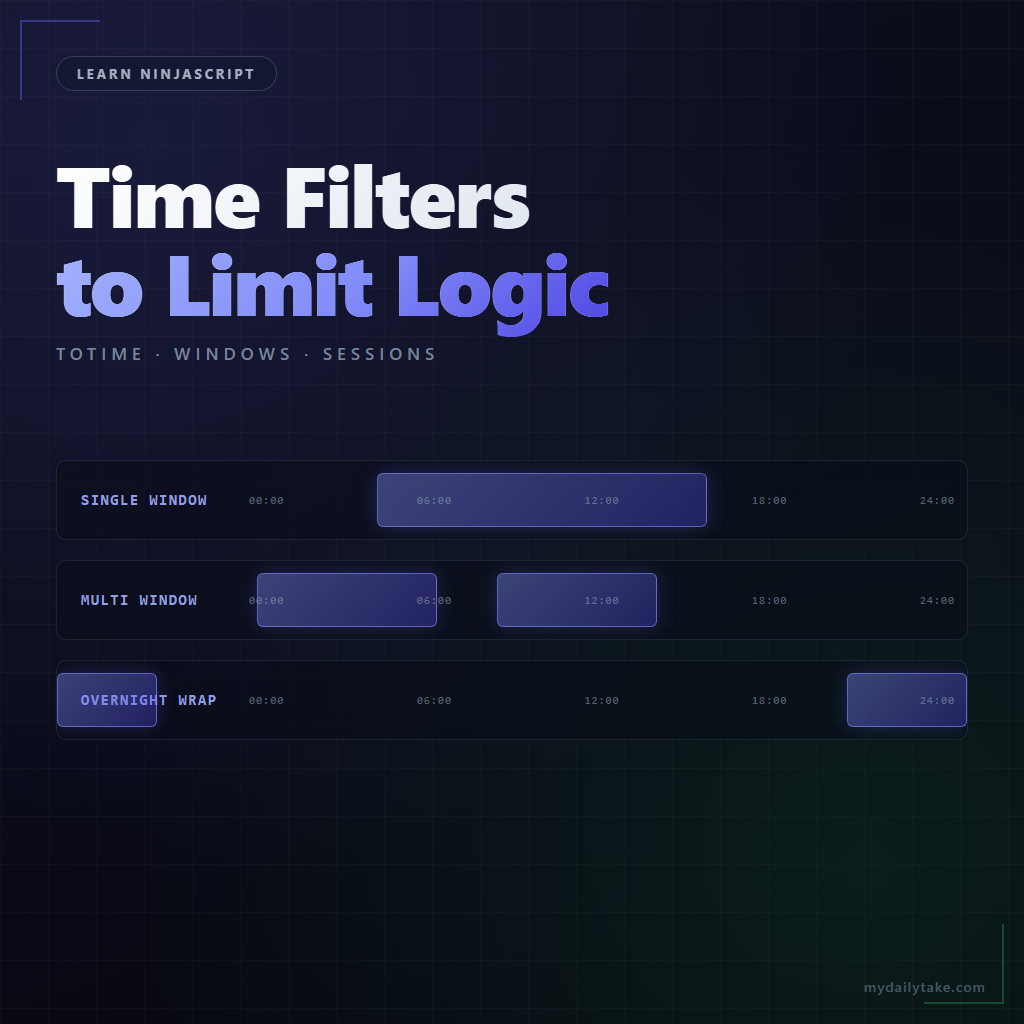
This post covers the patterns: single-window, multi-window, session-aware, and the overnight-wrap case where your window crosses midnight.
⚙️ ToTime and ToDay — the Integer Shortcuts
NinjaScript’s ToTime(DateTime) method returns an int in HHMMSS format. 09:30:00 becomes 93000. 15:58:45 becomes 155845. The beauty of this form is that you can do integer comparisons: ToTime(Time[0]) >= 93000 && ToTime(Time[0]) <= 113000 covers 9:30 – 11:30 with no timezone conversion, no DateTime construction, no date-component bookkeeping.
ToDay(DateTime) is the same idea for dates — YYYYMMDD as an int. Less commonly used in filters, but occasionally helpful when a filter depends on a specific calendar date.
Critical point: use Time[0], not DateTime.Now. Time[0] is the timestamp of the current bar in the chart's data-series time — same timezone as everything else you see on the chart. DateTime.Now is the wall clock on the machine running the script, which may or may not match. The bar time is always the right reference.
🕘 Single-Window Filter Pattern
The most common case: only run logic between two times. Wrap it in a private helper method so you can reuse it across indicators and strategies:
private bool InTradingWindow()
{
    int t = ToTime(Time[0]);
    return t >= StartTime && t <= EndTime;
}

protected override void OnBarUpdate()
{
    if (!InTradingWindow()) return;

    // ... the rest of your OnBarUpdate logic
}
StartTime and EndTime are integer properties the user sets — 93000 for 9:30, 113000 for 11:30. The guard at the top of OnBarUpdate short-circuits anything outside the window.
One detail worth calling out: the comparison is >= and <=, inclusive on both ends. If you want exclusive end (so 11:30:00 is not part of the window, only up through 11:29:59), change the <= to <. Off-by-one on window boundaries is a common source of "why did my indicator fire one bar after it should have stopped" bugs.
🕞 Multi-Window Filter Pattern
Some strategies trade morning and afternoon but skip the lunch chop. The filter just becomes two windows OR'd together:
private bool InTradingWindow()
{
    int t = ToTime(Time[0]);
    bool morning   = t >= 93000  && t <= 113000;
    bool afternoon = t >= 140000 && t <= 155500;
    return morning || afternoon;
}
The pattern scales to any number of windows. For three or four, consider moving the window ranges into a List<(int start, int end)> you build once in State.DataLoaded and iterate over in the helper. Six or more and you're probably overthinking it — or your filter should be session-aware instead.
📅 Session-Aware Filters
"First bar of the day" and "first N bars after session open" are trivially handled with Bars.IsFirstBarOfSession and Bars.BarsSinceSession. Neither relies on clock time — they use the chart's session template, which already knows your RTH hours.
// Skip the first three bars of each session — common practice
// to avoid opening-print noise.
if (Bars.BarsSinceSession < 3) return;

// Only run logic on the very first bar of each session.
if (!Bars.IsFirstBarOfSession) return;
When the strategy concept is session-relative ("don't trade the first N minutes after open"), session-aware checks beat clock-time filters. They automatically follow whatever session template the chart uses, so the same indicator works across instruments with different trading hours without any code changes.
⚠️ Overnight Wrap Handling
Futures sessions don't always respect midnight. A window like "22:00 through 03:00" crosses days, and the simple t >= start && t <= end check returns false for every minute because no time is both >= 220000 and <= 30000.
The fix is a single conditional:
private bool InTradingWindow()
{
    int t = ToTime(Time[0]);

    if (StartTime <= EndTime)
    {
        // Same-day window: 9:30 to 16:00, for example.
        return t >= StartTime && t <= EndTime;
    }
    else
    {
        // Overnight window: 22:00 to 03:00 — wraps midnight.
        return t >= StartTime || t <= EndTime;
    }
}
One check decides which branch fits. The OR on the overnight branch is the key — a time is in the window if it's after StartTime or before EndTime.
Time Filter Patterns
| Pattern | Best For | Key Check |
|---|---|---|
| Single-window integer filter | Most intraday logic bounded by clock time. | t >= StartTime && t <= EndTime |
| Multi-window OR'd | Morning and afternoon sessions with lunch chop skipped. | (morning) || (afternoon) |
| Session-aware via Bars.* | First N bars after session open, or session-only logic. | Bars.BarsSinceSession or IsFirstBarOfSession |
| Overnight-wrap two-branch | Futures sessions that cross midnight. | StartTime > EndTime branch uses OR |
🛠️ The Anchor Example — MySma With a Time Filter
Continuing MySma. We add StartTime and EndTime integer properties, a single-window helper, and a guard at the top of OnBarUpdate:
protected override void OnStateChange()
{
    if (State == State.SetDefaults)
    {
        Name        = "My SMA";
        Calculate   = Calculate.OnBarClose;
        IsOverlay   = true;

        Period      = 20;
        StartTime   = 93000;   // 9:30 ET
        EndTime     = 160000;  // 16:00 ET

        AddPlot(Brushes.LimeGreen, "Value");
    }
}

protected override void OnBarUpdate()
{
    if (!InTradingWindow()) return;
    if (CurrentBar < Period) return;

    Values[0][0] = SMA(Period)[0];
}

private bool InTradingWindow()
{
    int t = ToTime(Time[0]);

    if (StartTime <= EndTime)
        return t >= StartTime && t <= EndTime;
    else
        return t >= StartTime || t <= EndTime;   // overnight wrap
}

[NinjaScriptProperty]
[Display(Name = "Start Time", GroupName = "Indicator Setup", Order = 3,
         Description = "Start of the trading window in HHMMSS format (93000 = 9:30:00).")]
public int StartTime { get; set; }

[NinjaScriptProperty]
[Display(Name = "End Time", GroupName = "Indicator Setup", Order = 4,
         Description = "End of the trading window in HHMMSS format (160000 = 16:00:00).")]
public int EndTime { get; set; }
Now the indicator only plots between 9:30 and 16:00 ET. Outside the window, Values[0] stays at the reset value — the line visibly disappears. Users can change the window in the settings dialog, and the single helper handles both same-day and overnight-wrap cases.
📝 Pitfalls Checklist
- Using
DateTime.Nowinstead ofTime[0].Time[0]is the bar's timestamp in the chart's time;DateTime.Nowis wall clock. On historical bars, these are wildly different. - Hardcoding timezones. Don't convert
Time[0]to a specific timezone — trust the chart's data time. The user sets the chart's timezone; your filter should respect it. - Off-by-one on window boundaries. Inclusive vs exclusive on the
EndTimeedge is a choice — pick one and be consistent. Document it in the propertyDescription. - Forgetting the overnight-wrap branch. If your strategy can cross midnight, the simple
>=/<=check returns false for the entire session. The two-branch helper handles both cases in four lines. - Time windows as
TimeSpanwithout the secondary-serialization pattern.TimeSpanisn't XML-serializable. Either use integerHHMMSSproperties as shown here, or use the secondary-serialization helper pattern we'll cover in a later post. The simple integer form is almost always enough. - Session-aware checks vs clock-time checks. "First bar after session open" is different from "first bar at 9:30." If your chart uses an exotic session template, the clock-time version might start firing at the wrong bar.
Bars.IsFirstBarOfSessionis almost always what you want for session-relative logic.