Learn NinjaScript: Conditional Parameter Visibility (Workarounds)
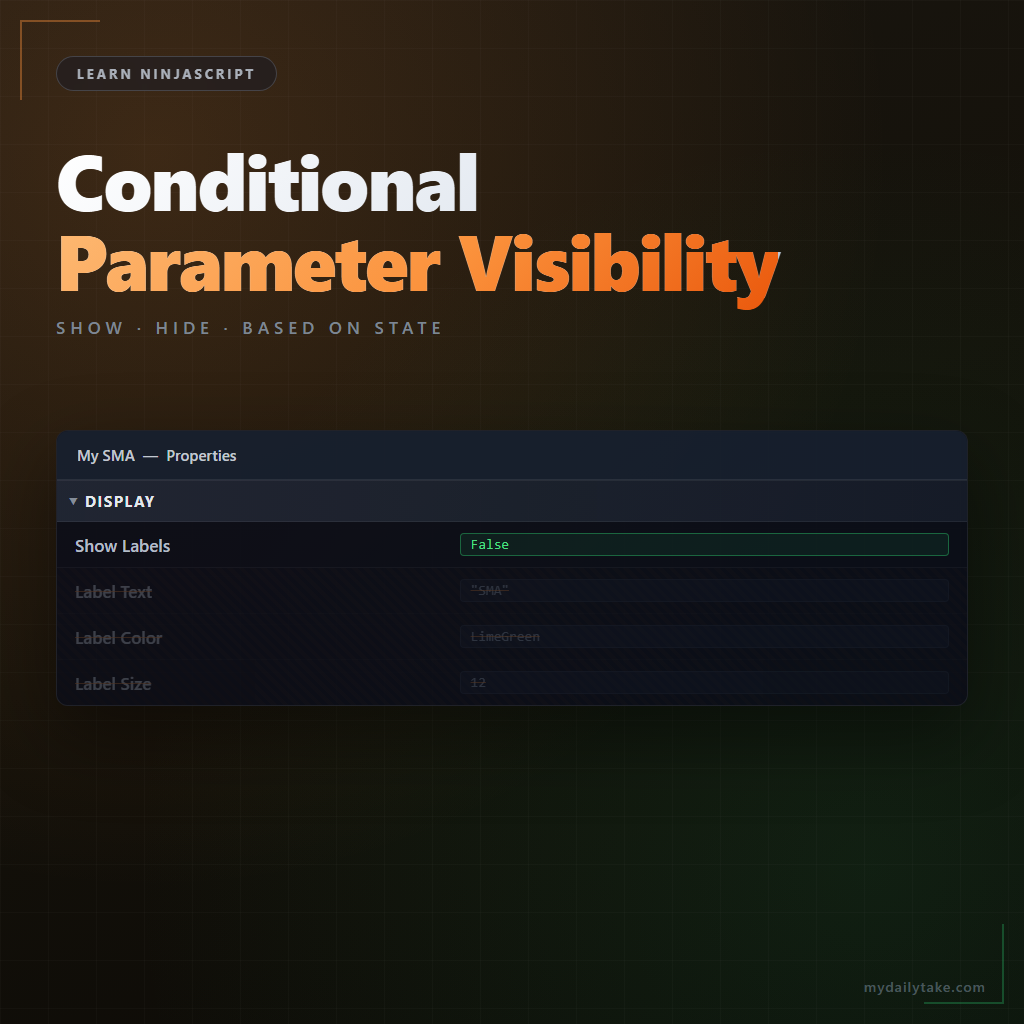
A polished indicator hides settings that don’t apply to the current state. When a ShowLabels bool is off, the LabelColor, LabelSize, and LabelFont properties should disappear from the grid — they’re irrelevant unless labels are enabled. Standard NinjaScript attributes don’t give you that directly. There’s no [Display(EnabledWhen = "ShowLabels")].
Three workarounds do it. Each has different mechanics and different trade-offs. This post covers all three and the decision of which fits your case.
⚙️ Why This Isn’t Built Into NinjaScript
NinjaTrader’s property grid is a WPF PropertyGrid-style control that reads attributes on a property at the moment the dialog opens. Attributes are compile-time metadata — they don’t change based on runtime values. The .NET framework has no built-in “show this property when that one is true” attribute, and NinjaTrader doesn’t add one either.
So the workarounds all share the same core trick: tell the property grid which properties to show at the moment it asks, based on current values. The three approaches differ in when the decision happens and how it’s communicated to the grid.
🎛️ Workaround 1 — PropertyChanged + [Browsable(false)]
The simplest approach: mark the dependent properties [Browsable(false)] at compile time, then flip the attribute at runtime when the master changes. This uses reflection to modify the Browsable attribute on a property’s descriptor.
The catch: the property grid reads the attribute once when the dialog opens. Changes you make at runtime don’t show until the dialog is closed and re-opened. For a dialog toggle, that means the user clicks OK, reopens Properties, and only then sees the dependent properties appear or disappear. Acceptable for some indicators, annoying for others.
This is the path of least code — useful when you want a simple hide/show and don’t mind the re-open cycle.
🔧 Workaround 2 — TypeConverter with GetProperties Filtering
The robust option: a custom ExpandableObjectConverter that overrides GetProperties and returns a different property collection based on the current instance values. The grid calls GetProperties live — every time the grid refreshes — so the decision happens in real time.
This is the approach most commercial indicators use. It’s more setup than Workaround 1, but the user experience is what you actually want: toggle the master bool in the dialog, and the dependent properties appear or disappear immediately, without closing the dialog.
You write a converter class that extends ExpandableObjectConverter, override GetProperties, and in that override check the instance’s current state to decide which properties to include. Then decorate each dependent property with [TypeConverter(typeof(YourConverter))] so the grid knows to route through your filtering logic.
💾 Workaround 3 — ShouldSerialize<Name>() Methods
A narrower trick, different purpose. ShouldSerializeXxx() is a convention .NET recognizes: for a property named Foo, if the class has a public method ShouldSerializeFoo() returning bool, the serializer calls it to decide whether to include Foo in the output.
This doesn’t hide the property from the UI — it only skips it during XML serialization. Use it when you want the property visible in the settings grid but don’t want to persist it in some conditions (e.g., an override value that shouldn’t save if it equals the default). Rare in indicator work, useful when the problem it solves is exactly what you have.
Conditional Visibility Workarounds
| Workaround | How It Works | Best For |
|---|---|---|
| PropertyChanged + Browsable(false) | Toggle the Browsable attribute at runtime via reflection. | Simple hide/show when you can tolerate a dialog reopen before the change shows. |
| TypeConverter GetProperties filter | Custom ExpandableObjectConverter that returns a different property list based on current values. | Live updates without dialog reopen. The production choice for polished indicators. |
|
ShouldSerialize | A convention-named bool method that tells the serializer whether to include a property in XML. | Controlling persistence only — the property stays visible in the UI but skips serialization conditionally. |
🛠️ The Anchor Example — MySma with Dependent Label Properties
Extending MySma with a ShowLabels master toggle and three dependent properties (LabelText, LabelColor, LabelSize). We’ll wire up Workaround 2 — the TypeConverter approach — since it gives the best UX.
First, the converter class. It extends ExpandableObjectConverter, overrides GetProperties, reads the current instance’s ShowLabels value, and returns a filtered property collection:
public class MySmaPropertyConverter : ExpandableObjectConverter
{
    public override PropertyDescriptorCollection GetProperties(
        ITypeDescriptorContext context, object value, Attribute[] attributes)
    {
        PropertyDescriptorCollection baseProps =
            base.GetProperties(context, value, attributes);

        MySma instance = value as MySma;
        if (instance == null) return baseProps;

        // Filter: if ShowLabels is false, drop the three label properties.
        if (!instance.ShowLabels)
        {
            List<PropertyDescriptor> filtered = new List<PropertyDescriptor>();
            string[] hidden = new[] { "LabelText", "LabelColor", "LabelSize" };

            foreach (PropertyDescriptor pd in baseProps)
                if (Array.IndexOf(hidden, pd.Name) < 0)
                    filtered.Add(pd);

            return new PropertyDescriptorCollection(filtered.ToArray());
        }

        return baseProps;
    }
}
Then decorate the class with the converter and the dependent properties:
[TypeConverter(typeof(MySmaPropertyConverter))]
public class MySma : Indicator
{
    // ... existing properties: Period, Multiplier, ShowDots ...

    [NinjaScriptProperty]
    [Display(Name = "Show Labels", GroupName = "Display", Order = 5,
             Description = "Enables value labels plotted at each bar.")]
    public bool ShowLabels { get; set; }

    // The three dependent properties.
    [NinjaScriptProperty]
    [Display(Name = "Label Text", GroupName = "Display", Order = 6,
             Description = "Label text template.")]
    public string LabelText { get; set; }

    [XmlIgnore]
    [Display(Name = "Label Color", GroupName = "Display", Order = 7,
             Description = "Color of the value label text.")]
    public Brush LabelColor { get; set; }

    [NinjaScriptProperty]
    [Range(6, 48)]
    [Display(Name = "Label Size", GroupName = "Display", Order = 8,
             Description = "Font size of the value label.")]
    public int LabelSize { get; set; }
}
Compile, drop on a chart, open Properties. With ShowLabels unchecked, the three label properties are gone. Check ShowLabels, and they appear immediately. Uncheck, gone again. All live — no dialog re-open required.
📝 Pitfalls Checklist
- PropertyChanged-based hiding needs a dialog reopen. If you tried Workaround 1 and complained the UI didn’t update, that’s why. Switch to the TypeConverter approach if you need live updates.
- TypeConverter must extend
ExpandableObjectConverter, notTypeConverter. The property grid looks for expandable converters specifically — a plainTypeConvertersubclass won’t filter anything. - Forgetting the
[TypeConverter]attribute on the class. The converter exists but the grid never calls it. Easy to miss. - Hidden properties still serialize. The property value persists across chart reloads — it’s just not shown. If you want the value to drop too, handle it separately (Workaround 3).
- Visibility toggles the property but doesn’t reset its value. User sets
LabelColor = Red, hides it, shows it — still Red. That’s usually what you want; just be aware. - Debugging: property not hiding. Most common cause is missing the converter attribute on the class, or the hidden-names list in
GetPropertieshas a typo.


![Cosine Kernel Regressions [QuantraSystems] Conversion](https://mydailytake.com/wp-content/uploads/2024/06/CosineKernelRegressions_5-Minute_NQ-768x458.png)