Learn NinjaScript: Organizing Parameters into Groups and Order
A three-property indicator fits fine in NinjaTrader’s default “Parameters” bucket. A fifteen-property indicator doesn’t. Once an indicator has ATR inputs, confirmation thresholds, display toggles, color choices, and alert settings, the property grid needs real structure — otherwise users scroll past the setting they actually wanted to change.
Last week’s post introduced [Display(GroupName, Order)] and [Gui.CategoryOrder]. This post is about how to put them to work on an indicator big enough for that structure to matter.
⚙️ The Two Levels of Ordering
Two attributes do the work, and they operate at different levels:
[Display(GroupName = "…")]puts a property into a section.[Display(Order = N)]sequences properties within that section.[Gui.CategoryOrder("…", N)]at the class level sequences the sections themselves.
Decide what goes in which group first. Then decide which order the groups appear in the dialog. The two decisions are independent, and the attributes that control them are separate.
🏗️ A Typical Group Architecture
Most indicators end up with three to five groups. The conventional pattern reads naturally top-to-bottom in the settings dialog: calculation inputs first, then signal validation, then visual settings, then alerts.
Typical Group Architecture
| GroupName | What Goes Here | CategoryOrder |
|---|---|---|
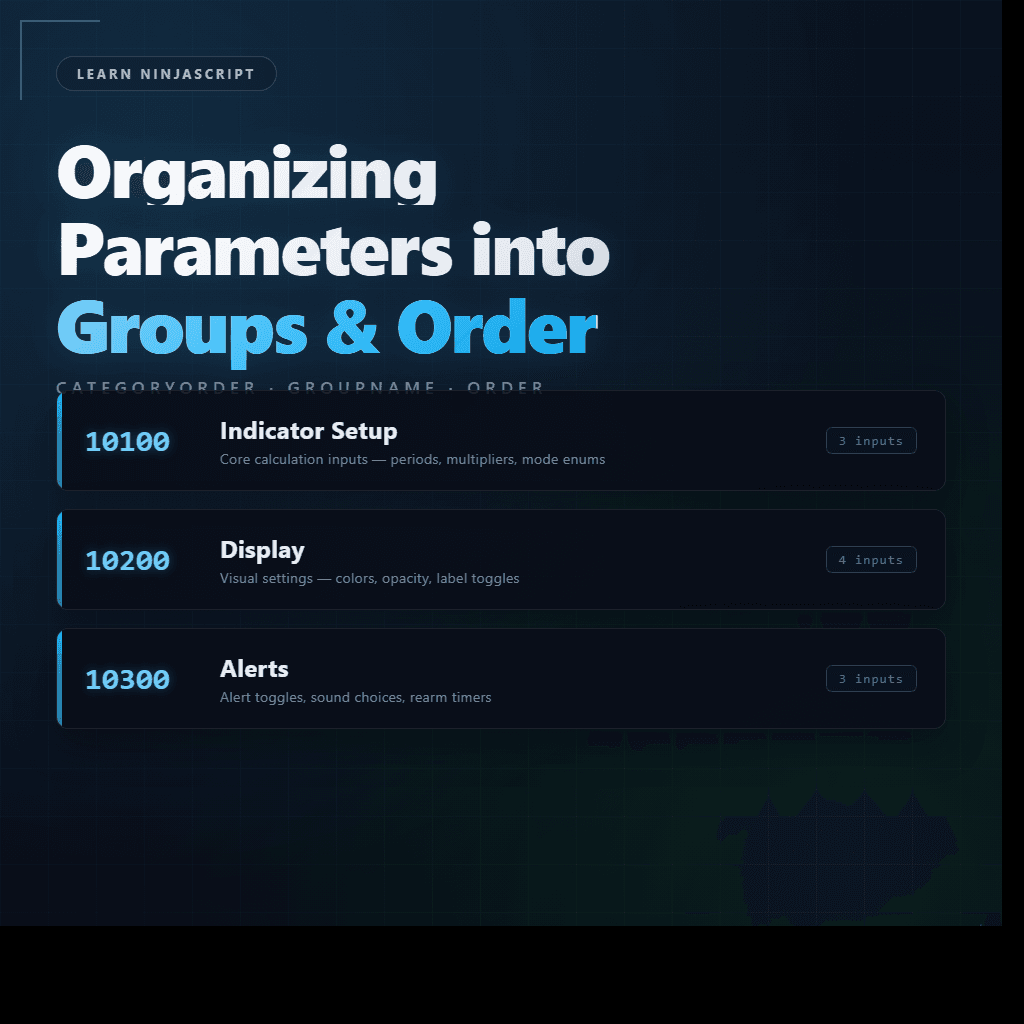
| Indicator Setup | Core calculation inputs — periods, multipliers, source series, mode enums. | 10100 |
| Confirmation | Signal validation — how many bars to wait, thresholds, filters. | 10200 |
| Display | Visual settings — colors, opacity, label toggles, font size. | 10300 |
| Alerts | Alert toggles, sound choices, rearm timers. | 10400 |
Small indicators often collapse this down to just Indicator Setup plus Display. Larger indicators sometimes add an Optimization group for Strategy Analyzer hints or a Debug group for developer-only toggles. The four above cover most real-world cases.
🔢 Why 10100 Instead of 1
The convention of using values like 10100, 10200, 10300 instead of 1, 2, 3 has two reasons, both practical:
NinjaTrader’s default categories occupy the 1,000,000–7,000,000 range. Parameters at 1,000,000, Data Series at 2,000,000, Time Frame at 3,000,000, Setup at 4,000,000, and so on. Your custom groups should sit above all of them, which means picking values below 1,000,000. Anything in the 10,000 range is cleanly below the NT defaults and clusters your custom groups together at the top of the grid.
Leaving space between your numbers (100 apart, not 1 apart) means you can insert a new group later without renumbering. If you start with 10100/10200/10300 and later decide you need a “Data” group between Indicator Setup and Confirmation, you use 10150. Every other group stays as-is.
One restriction from the help guide: NinjaTrader reserves values ending in 000 and 500. Stick to values like 10100, 10150, 10200, 10250, never 10000 or 10500. The reserved values may be reassigned in future versions.
📐 Sub-ordering Within a Group
Inside a GroupName, Order values stay simple. Use 1, 2, 3, 4 — no need to pad. A group is a contained namespace, and individual properties rarely get inserted the way whole groups do.
The real decision isn’t the number, it’s which property gets Order = 1. Ask: what does a user change most often? What decision precedes the others? Put the decision-first knobs at low Order values; put fine-tuning at higher values. Alphabetical order is rarely what you want.
In an Indicator Setup group containing a Mode enum, a Period, and a Multiplier, Mode is what the user decides first — it changes what Period and Multiplier even mean. So Mode gets Order 1, Period gets Order 2, Multiplier gets Order 3. Never the alphabetical default.
⚖️ When to Split, When to Merge
Deciding whether a group deserves to exist is design judgment more than rule. Three questions that usually settle it:
- Does the group have a single clear purpose? If you can describe what’s in it in one phrase (“alert settings”, “visual styling”, “ATR calculation”), the group is coherent. If you’re reaching for “and” to describe it, it probably wants splitting.
- Does it contain at least two properties? A one-property group is noise — the section header wastes space the property could use. Merge it into the most closely related neighbor.
- Is it getting too big? Once a group has 8–10 properties, users scan it linearly and lose track. Split along whatever natural seam exists — “Inputs” and “Confirmation”, “Line” and “Fill”, “Alerts” and “Sound”.
🎯 Injecting Between NinjaTrader’s Default Categories
Most custom indicators live entirely above 1,000,000. Custom groups cluster at the top of the dialog, NinjaTrader’s defaults (“Parameters”, “Data Series”, “Time Frame”, “Setup”, etc.) sit below them. That’s the simplest layout and it works for almost everything.
Occasionally you want a group to slot between two NT defaults. The pattern is the same — pick a value that falls numerically between them. To sit after Data Series (2,000,000) and before Time Frame (3,000,000), use 2,000,001. To sit after Setup (4,000,000) and before Visual (5,000,000), use 4,000,001.
The same reserved-value rule still applies: avoid anything ending in 000 or 500. And the same spacing logic still applies — leave room between your injected groups so you can add more later. For most posts on this site, staying below 1,000,000 is the simpler choice; the in-between range is there if you need it.
🛠️ A Bigger Anchor Example
Extending MySma to realistic proportions. Ten properties split across three groups. The class-level [Gui.CategoryOrder] block defines the group sequence, and each property’s [Display] pins it to a group and an internal order.
[Gui.CategoryOrder("Indicator Setup",  10100)]
[Gui.CategoryOrder("Display",          10200)]
[Gui.CategoryOrder("Alerts",           10300)]
public class MySma : Indicator
{
    // ... OnStateChange / OnBarUpdate as before ...

    // ----- Indicator Setup -----

    [NinjaScriptProperty]
    [Display(Name = "Mode", GroupName = "Indicator Setup", Order = 1,
             Description = "Moving average type driving the output.")]
    public MaMode Mode { get; set; }

    [NinjaScriptProperty]
    [Range(2, int.MaxValue)]
    [Display(Name = "Period", GroupName = "Indicator Setup", Order = 2,
             Description = "Lookback period for the moving average.")]
    public int Period { get; set; }

    [NinjaScriptProperty]
    [Range(0.01, double.MaxValue)]
    [Display(Name = "Multiplier", GroupName = "Indicator Setup", Order = 3,
             Description = "Scales the plotted SMA value.")]
    public double Multiplier { get; set; }

    // ----- Display -----

    [Display(Name = "Show Dots", GroupName = "Display", Order = 1,
             Description = "Draws a dot at each bar's SMA value.")]
    public bool ShowDots { get; set; }

    // ... ShowLabel, DotSize, LabelTextSize (Order 2, 3, 4) ...

    // ----- Alerts -----

    [Display(Name = "Enable Alert", GroupName = "Alerts", Order = 1,
             Description = "Fires an alert when the SMA direction changes.")]
    public bool EnableAlert { get; set; }

    // ... AlertSoundFile, AlertRearmSeconds (Order 2, 3) ...
}
The resulting settings dialog has three section headers in the order you set, properties within each group ordered by what a user decides first, and everything sits above NinjaTrader’s built-in Data Series / Time Frame / Setup sections.
If you later add a Confirmation group (say, for bar-close confirmation thresholds), the value 10150 slots it between Indicator Setup and Display without touching the other [Gui.CategoryOrder] lines:
[Gui.CategoryOrder("Indicator Setup",  10100)]
[Gui.CategoryOrder("Confirmation",     10150)]   // new — inserted between Setup and Display
[Gui.CategoryOrder("Display",          10200)]
[Gui.CategoryOrder("Alerts",           10300)]
This is why the spacing matters. The first time you have to insert a group is the moment the convention pays off.
📝 Pitfalls Checklist
- Renumbering existing groups when inserting a new one. If you used
10100/10200/10300and now need a group before Display, use10150. Don’t touch the others. - Using reserved CategoryOrder values. Anything ending in
000or500is NinjaTrader-reserved. Pick10100,10150,10200, never10000or10500. - One-property groups. The section header wastes vertical space and reads as noise. Merge into the most closely related neighbor group.
- Inconsistent
GroupNamestrings across indicators. If one indicator uses"Indicator Setup"and another uses"Setup", your indicator family reads as unpolished. Pick a convention within a project and commit. - Over-ordering within groups.
Order = 1, 2, 3is enough. Don’t reach forOrder = 10, 20, 30unless you’ve actually needed to insert a property between two existing ones — which rarely happens inside a group the way it does between groups. [Gui.CategoryOrder]goes above the class declaration, not inside the class body. Inside the class body the attribute does nothing.- Forgetting a
GroupNameon one property out of many. It falls into the default “Parameters” bucket and shows up at a position the user doesn’t expect. Audit after adding new properties. - Ordering properties alphabetically. Default behavior, but not what the user wants. Order by decision priority — the knob they change first gets Order 1.