TradingView Andean Oscillator [alexgrover] Conversion to NinjaTrader 8
Most oscillators give you one line that swings around a midpoint. The Andean Oscillator by alexgrover takes a different approach — it computes two lines, one tracking bull strength and one tracking bear strength, and lets the relationship between them tell you the regime.
The math underneath is online recursive envelopes: instead of computing a moving average from a fixed window every bar, the indicator updates a running upper-envelope and lower-envelope using a single smoothing parameter. Cheap to compute, well-behaved on the right edge, and surprisingly clean visually.
This post is the NinjaTrader 8 conversion. The full source compiles standalone in indTradingView/, exposes the bull and bear envelopes plus an EMA signal as Series<double> outputs for strategy use, and is yours to download as a NinjaScript Archive.
Original Pine Script: Andean Oscillator by alexgrover
License: Attribution-NonCommercial-ShareAlike 4.0 International (CC BY-NC-SA 4.0)
🆚 What Makes the Andean Oscillator Different
Traditional oscillators (RSI, Stochastic, MACD) reduce all the information in a window to a single number. That number bounces around a midpoint, and you read overbought/oversold off threshold lines. The reduction is convenient but throws away the asymmetry between buying pressure and selling pressure.
Two parallel envelopes. The Andean Oscillator runs two recursive variance-style updates simultaneously — one tracking the maximum-pressure side (bull) and one tracking the minimum-pressure side (bear). When the bull line is above the bear line, the regime is bullish; when they cross, the regime flips. The visual is two curves dancing around each other, with the crossover being the actionable event.
Online and recursive. Unlike windowed oscillators that drop bars off the back, Andean’s envelopes update incrementally — each new bar contributes a small adjustment based on the smoothing length. The result is smoother on the right edge than a standard moving-average oscillator and never has ‘edge effects’ where old bars dropping off the window cause artificial flips.
⚙️ Settings
Andean Oscillator exposes two simple inputs — the smoothing length for the recursive envelopes, and an EMA signal length on top of the envelope difference.
Indicator Setup
| Parameter | Default | Description |
|---|---|---|
| Length | 50 | Smoothing length for the recursive bull and bear envelopes. Larger = slower, smoother. |
| Signal Length | 9 | EMA period applied to the envelope difference to produce the signal line. |
🧠 How It Works
Each bar updates two recursive envelope state variables, then derives a smoothed signal from their difference.
- Recursive bull envelope. Maintain a running estimate of the maximum-of-(close, open) trajectory using an exponential-style update with the smoothing length. Each bar nudges the bull envelope toward the larger of the current close or open while decaying any stretch above.
- Recursive bear envelope. Mirror the bull update on the minimum side — track the running minimum-of-(close, open) trajectory with the same smoothing length.
- Variance interpretation. The two envelopes are square-rooted variance proxies: each is the square root of an EMA-smoothed (price − envelope)² accumulator. Plotting them together visualizes how much upside pressure versus downside pressure is in the market.
- Signal line. Compute the difference (Bull − Bear) and run an EMA over it with Signal Length. The signal line crossings of zero are the actionable regime-change moments.
- Plot output. Three plots: Bull (in the up-trend color), Bear (in the down-trend color), and Signal (a third color, typically yellow or grey). Visually, the bull and bear curves diverge during strong trends and converge during consolidation.
The indicator is non-repainting: every envelope update uses only the closed bar’s price and the prior envelope state.
🛠️ Using It in a Strategy
The Andean Oscillator’s most common strategy use is a regime classifier: long when Bull is above Bear (or equivalently when Signal > 0), short when Bear is above Bull (Signal < 0), and tighter rules around crossovers for entry timing.
Below is the lifecycle: instantiate in State.DataLoaded, then in OnBarUpdate detect crossovers between Bull and Bear and take action.
private AndeanOscillator andean;

protected override void OnStateChange()
{
    if (State == State.SetDefaults)
    {
        Name = "AndeanOscillatorStrategyExample";
    }
    else if (State == State.DataLoaded)
    {
        andean = AndeanOscillator(
            50,    // Length
            9      // Signal Length
        );
    }
}

protected override void OnBarUpdate()
{
    if (CurrentBar < 51) return;

    // Detect Bull/Bear crossover this bar
    bool bullCrossUp   = andean.Bull[0] > andean.Bear[0] && andean.Bull[1] <= andean.Bear[1];
    bool bullCrossDown = andean.Bull[0] < andean.Bear[0] && andean.Bull[1] >= andean.Bear[1];

    if (bullCrossUp)
        EnterLong();

    if (bullCrossDown)
        EnterShort();

    // Use the signal line as confirmation: only stay in trades when sign agrees
    if (Position.MarketPosition == MarketPosition.Long && andean.Signal[0] < 0)
        ExitLong();
    if (Position.MarketPosition == MarketPosition.Short && andean.Signal[0] > 0)
        ExitShort();
}
All three outputs are Series<double> backed by plot values, so you can index back in time with andean.Bull[5], etc.
Public Outputs
| Output | Type | Description |
|---|---|---|
| Bull[0] |
Series | Bull envelope value — tracks the upside variance pressure. |
| Bear[0] |
Series | Bear envelope value — tracks the downside variance pressure. |
| Signal[0] |
Series | EMA-smoothed difference between Bull and Bear envelopes. Crossings of zero are regime-change candidates. |
🔄 Conversion Notes
A few things changed in the translation from Pine Script to NinjaScript:
Recursive state via persistent fields. Pine’s var float recursive state becomes private double fields in NT8. The bar-0 initialization matches Pine’s default zero-init; the formula handles the first bar correctly via the prior-bar fallback.
Plot styles. Pine’s three plot() calls map to three AddPlot calls with PlotStyle.Line. Strategy consumers read Bull[0], Bear[0], and Signal[0] directly off the plot-backed series.
Series-based public outputs. All three outputs are exposed as plot-backed Series<double> for downstream consumption. The plot-backed pattern means the public getter just returns Values[i] — no separate Update() wrapping needed.
📦 Download
The full source is available as a free NinjaScript Archive. To install:
- Download the
.zipfile below. - In NinjaTrader 8, go to Tools → Import → NinjaScript Add-On.
- Select the downloaded
.zipfile. - The indicator will appear under Indicators → indTradingView → Andean Oscillator [alexgrover] on your chart.
📊 Chart Example
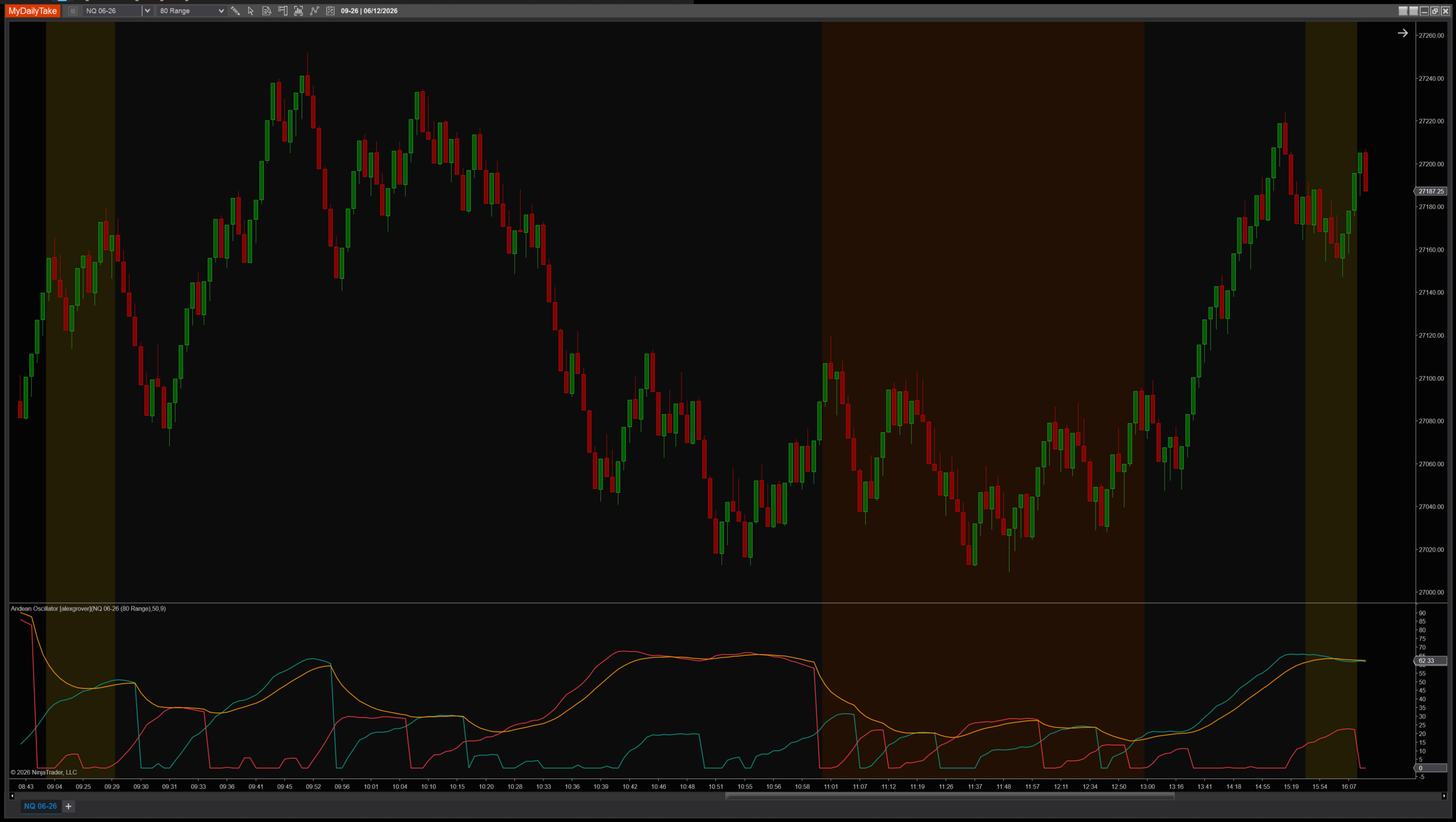
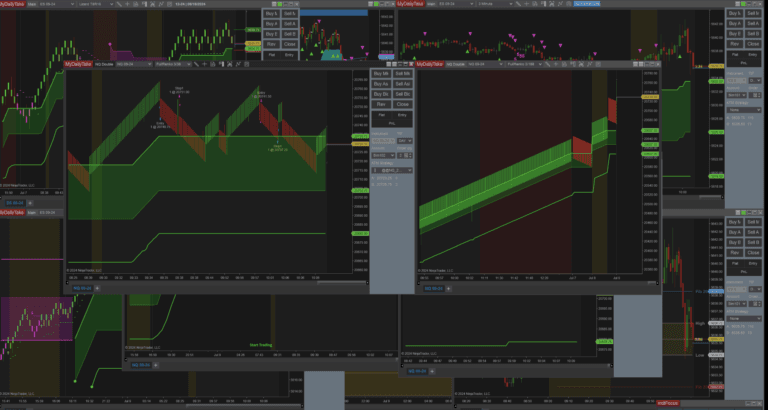
Andean Oscillator on a 1-minute chart with default settings (Length=50, Signal=9). The green Bull line and red Bear line dance around each other; the yellow signal line is the smoothed difference. Watch for crossovers between Bull and Bear — those are the regime-change candidates. Notice how cleanly the curves separate during sustained trends and converge during chop.


The original Pine Script™ code is by alexgrover and is licensed under the Attribution-NonCommercial-ShareAlike 4.0 International (CC BY-NC-SA 4.0). This NinjaTrader 8 adaptation is by MyDailyTake.com. The use of alexgrover’s name or adapted code does not imply endorsement by the original author.