TradingView Evasive SuperTrend [LuxAlgo] Conversion to NinjaTrader 8
Standard SuperTrend gives you a clean trailing stop in trends and brutal whipsaws in noise. LuxAlgo’s Evasive SuperTrend is built for the noise problem — when price gets within a configurable Threshold × ATR of the active band, the band actively pushes away from price by Alpha × ATR, dodging the wick that would have flipped the standard version.
The result is a trend line that holds direction through small wick excursions and only commits to a flip when price breaks well past the band. Visually, the line is solid in clean states and dotted in expansion (evasion) states, with a translucent SharpDX gradient fill toward HL2 in the active trend’s color.
This post is the NinjaTrader 8 conversion. The full source compiles standalone in indTradingView/, exposes the active band and trend state as Series<> outputs for strategy use, and is yours to download as a NinjaScript Archive.
Original Pine Script: Evasive SuperTrend by LuxAlgo
License: Attribution-NonCommercial-ShareAlike 4.0 International (CC BY-NC-SA 4.0)
🆚 What Makes Evasive SuperTrend Different
Standard SuperTrend’s whipsaw problem comes from a single wick brushing the band — the band can’t move fast enough to dodge, so the trend flips. Then price reverses, the trend flips again. You’re stopped out twice in five bars.
Active band evasion. When price gets within Threshold × ATR of the active band, the band actively expands away by Alpha × ATR. So as a wick approaches, the band slides further away. By the time the wick reaches the original band’s level, the band has moved out of reach — the wick prints, the trend doesn’t flip, and you stay in.
Visual state — solid vs dotted. The trend line draws solid in clean states (when price is well inside the band) and dotted in expansion states (when the band is currently dodging). The dotted segments tell you ‘this is a noisy area; the indicator is actively defending against a flip.’
⚙️ Settings
Evasive SuperTrend exposes its inputs in three property groups: the SuperTrend math, the noise-avoidance logic that controls evasion behavior, and the visualization toggles for fills, labels, and colors.
Supertrend Settings
| Parameter | Default | Description |
|---|---|---|
| ATR Length | 10 | ATR period used to size the SuperTrend bands and the evasion magnitude. |
| Base Multiplier | 3.0 | Standard SuperTrend ATR multiplier — sets the band width before evasion adjustments. |
Noise Avoidance Logic
| Parameter | Default | Description |
|---|---|---|
| Noise Threshold (xATR) | 1.0 | How close (in ATR units) price must get to the band before evasion engages. |
| Expansion Alpha (xATR) | 0.5 | How far (in ATR units) the band pushes away during evasion. Higher = stronger evasion. |
Visualization
| Parameter | Default | Description |
|---|---|---|
| Show Signal Labels | True | Render BULL / BEAR text labels at trend flips. |
| Label Font Size | 14 | Font size for the trend-flip labels. |
| Show Gradient Fills | True | SharpDX translucent fill between the active band and HL2. |
🧠 How It Works
Each bar runs the standard SuperTrend math, then applies an evasion adjustment if price is within the noise threshold.
- Standard SuperTrend bands. Compute HL2 ± Multiplier × ATR. Apply the classic band-locking logic — upper band ratchets only down while in a downtrend, lower band ratchets only up while in an uptrend.
- Evasion check. Compute distance from the current close to the active band. If
distance < Threshold × ATR, evasion engages. - Band expansion. While in evasion, push the band further from price by
Alpha × ATR. The band can only expand outward — once price moves away, the band reverts to its standard ratchet behavior. - Flip detection. A flip fires only when close crosses the post-evasion band. Because the band has been actively dodging, a flip means price genuinely broke the trend, not just brushed it.
- Visual state. The trend line draws solid when distance is well above the threshold, dotted when within the threshold. SharpDX trapezoid fill between the band and HL2 in the trend-side color, with opacity controlled by the user.
- Flip labels. Sized BULL / BEAR text via 13-arg
Draw.Textat each flip, with font size and color from the visualization properties.
The indicator is non-repainting: every band update and flip decision uses only the closed bar’s data.
🛠️ Using It in a Strategy
Evasive SuperTrend’s most natural strategy use is identical to standard SuperTrend — enter on trend flips, trail your stop along the BandSeries — except the evasion behavior means you’ll get fewer false flips and tighter average risk per trade.
Below is the lifecycle: instantiate in State.DataLoaded, then in OnBarUpdate detect flips and trail along the active band.
private EvasiveSuperTrend est;

protected override void OnStateChange()
{
    if (State == State.SetDefaults)
    {
        Name = "EvasiveSuperTrendStrategyExample";
    }
    else if (State == State.DataLoaded)
    {
        est = EvasiveSuperTrend(
            10,     // ATR Length
            3.0,    // Base Multiplier
            1.0,    // Noise Threshold (xATR)
            0.5,    // Expansion Alpha (xATR)
            true,   // Show Signal Labels
            14,     // Label Font Size
            true    // Show Gradient Fills
        );
    }
}

protected override void OnBarUpdate()
{
    if (CurrentBar < 20) return;

    bool flippedUp   = est.TrendSeries[0] ==  1 && est.TrendSeries[1] != 1;
    bool flippedDown = est.TrendSeries[0] == -1 && est.TrendSeries[1] != -1;

    if (flippedUp)
    {
        EnterLong();
        SetStopLoss(CalculationMode.Price, est.BandSeries[0]);
    }
    if (flippedDown)
    {
        EnterShort();
        SetStopLoss(CalculationMode.Price, est.BandSeries[0]);
    }

    // Trail the stop along the active (post-evasion) band every bar
    if (Position.MarketPosition == MarketPosition.Long)
        SetStopLoss(CalculationMode.Price, est.BandSeries[0]);
    else if (Position.MarketPosition == MarketPosition.Short)
        SetStopLoss(CalculationMode.Price, est.BandSeries[0]);
}
Both outputs are Series<>, so est.BandSeries[5] reads the band value five bars ago. Update() is wrapped inside each getter.
Public Outputs
| Output | Type | Description |
|---|---|---|
| BandSeries[0] |
Series | The active SuperTrend band value (post-evasion). Usable as a trailing stop level. |
| TrendSeries[0] |
Series | 1 in an up-trend, −1 in a down-trend. |
🔄 Conversion Notes
A few things changed in the translation from Pine Script to NinjaScript:
Solid vs dotted segments. Pine renders the trend line via two separate plot() calls — one with a solid style and one with a dotted style — using na to break each segment. NT8 uses two AddPlot calls (different DashStyleHelper) and Reset() on whichever isn’t active each bar.
SharpDX gradient fill. Pine’s fill() between the band and HL2 becomes a per-bar SharpDX trapezoid with a vertical gradient brush — anchored to fixed value-space extremes to avoid the per-bar seam artifacts that plague locally-anchored gradients.
Sized BULL/BEAR labels via 13-arg Draw.Text. Pine’s sized labels at flip bars use the full 13-arg Draw.Text signature with explicit SimpleFont + foreground brush so the size scales with the LabelFontSize property rather than relying on a drawing-tool template.
Series-based public outputs. The active band and the trend state are exposed as Series<double> and Series<int> for strategy consumption. Strategy consumers index back in time via BandSeries[N] / TrendSeries[N] with the Update() wrapper handling sync.
Alerts stripped. The Pine source’s alertcondition calls are removed — strategy consumers detect flips by watching for TrendSeries[0] != TrendSeries[1].
📦 Download
The full source is available as a free NinjaScript Archive. To install:
- Download the
.zipfile below. - In NinjaTrader 8, go to Tools → Import → NinjaScript Add-On.
- Select the downloaded
.zipfile. - The indicator will appear under Indicators → indTradingView → Evasive SuperTrend [LuxAlgo] on your chart.
📊 Chart Example
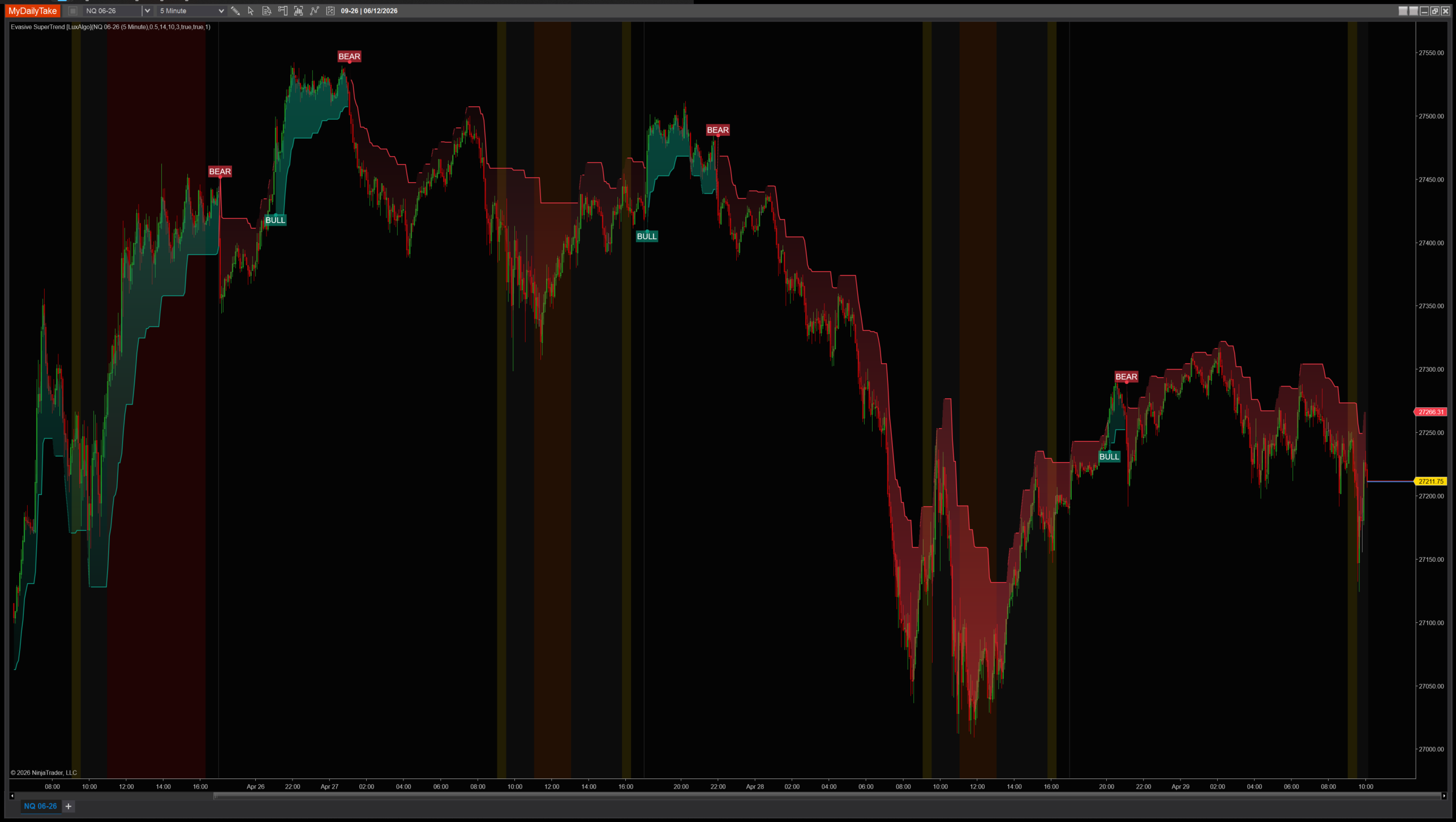
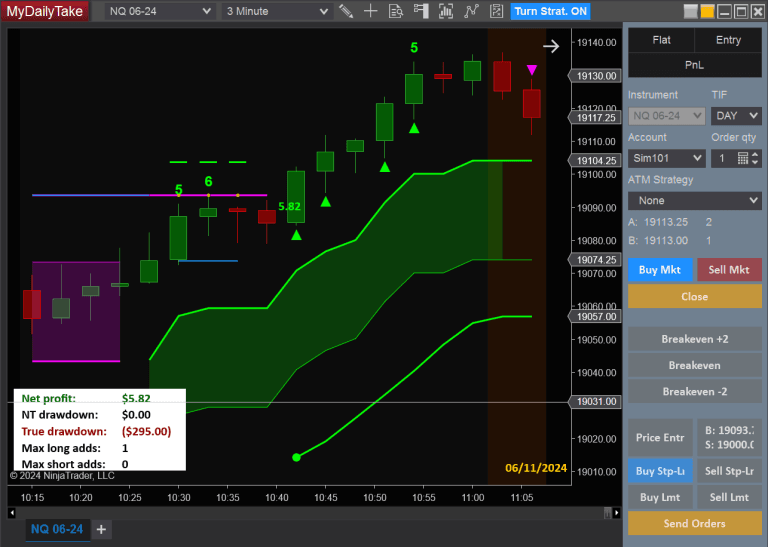
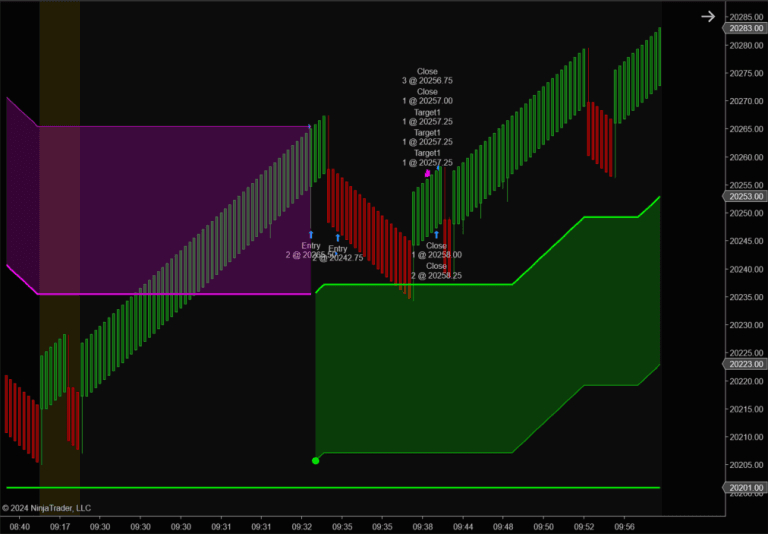
Evasive SuperTrend on a 1-minute chart with default settings. Notice how the band line is solid in clean trending sections and switches to dotted when price approaches it — that’s the evasion engaging. The SharpDX gradient cloud between the band and HL2 visualizes the trend zone. Wicks that would have flipped a standard SuperTrend get dodged here.


The original Pine Script™ code is by LuxAlgo and is licensed under the Attribution-NonCommercial-ShareAlike 4.0 International (CC BY-NC-SA 4.0). This NinjaTrader 8 adaptation is by MyDailyTake.com. The use of LuxAlgo’s name or adapted code does not imply endorsement by the original author.